
Introduction
If you run a website or web app, you’ve probably felt this pain:
People visit your site, ask the same questions, get stuck, and leave. Support tickets pile up. Leads go cold. Sales drop for reasons you can’t always see.
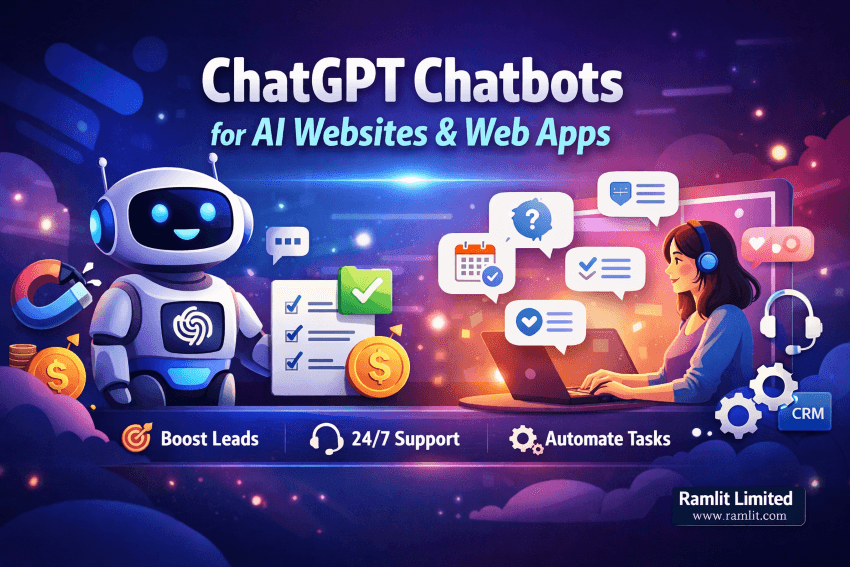
A ChatGPT-powered chatbot fixes a lot of that—when it’s implemented properly.
Not “a random widget that answers generic questions.” A real business chatbot that understands your services, guides users, captures leads, and supports customers 24/7.
In this guide, you’ll learn: How ChatGPT chatbot integration actually works What to integrate on an AI website vs a web app The best use cases for sales, support, and onboarding A practical step-by-step implementation plan Security, privacy, and accuracy best practices How to choose the right approach for your budget and goals
By the end, you’ll know exactly what to build, what to avoid, and how to turn a chatbot into a conversion tool—not a gimmick.
Why AI Websites and Web Apps Need Chatbots Now
AI has changed user expectations.
People don’t want to hunt through menus, pages, and FAQs. They want answers instantly. They want guidance. They want a shortcut.
A well-built chatbot helps you: Reduce support workload Increase conversion rate by guiding visitors to the next step Improve onboarding by answering questions in context Collect better leads by qualifying users before sales calls Provide 24/7 support without hiring a full team
This isn’t about replacing humans. It’s about handling the repetitive, time-wasting tasks so humans can focus on higher-value work.
AI Website vs Web App: Where a ChatGPT Chatbot Creates the Most Value
Let’s separate the two, because the integration style changes.
AI Website
A website is mainly marketing + content + lead capture.
Best chatbot goals on a website: Answer pre-sale questions Guide users to the right service/package Handle pricing and feature comparisons Collect lead info and send it to email/CRM Book calls or demos Reduce bounce rate by helping users find what they need
Web App
A web app is interactive: users sign in, perform actions, use features.
Best chatbot goals inside a web app: In-app onboarding and walkthroughs Feature support and how-to guidance Troubleshooting errors with contextual help Account-related flows (plans, billing, renewals) Product education and tips to increase retention Ticket deflection (solve issues before they become tickets)
If you’re building both, the most powerful setup is: Website chatbot for lead generation Web app chatbot for support and retention
What a “Professional” ChatGPT Chatbot Integration Looks Like
A professional integration is not just “connect ChatGPT and show messages.”
It includes:
-
A clear purpose Sales support, customer support, onboarding, or all three (with routing)
-
Brand voice and tone Your chatbot should sound like your company, not like a generic robot
-
Guardrails and accuracy controls It should not hallucinate pricing, policies, or technical claims
-
Knowledge grounding The bot should use your real content (docs, FAQs, policies, product info)
-
Lead capture and business workflows Chatbot should push qualified leads into your system
-
Analytics and improvement loop Track what users ask, where they drop, what answers fail
This is the difference between “a chatbot that exists” and “a chatbot that makes money.”
The 7 Best High-Converting Use Cases
If you want ROI, focus on these use cases first.
1) Lead Qualification
Instead of “Contact us,” your bot asks: What are you trying to build? What platform are you using? What’s your timeline? What’s your budget range?
Then it routes: Book a call Request a quote Direct to service page Send a proposal form
This increases lead quality and reduces wasted conversations.
2) Pricing and Package Guidance
Visitors get stuck on pricing pages. They don’t know which package to choose.
Chatbot can: Compare packages Recommend based on needs Explain what’s included Answer “is this right for me?”
3) Instant FAQ + Policy Answers
Refund policy, delivery time, support coverage, maintenance terms—these questions decide whether a buyer trusts you.
A good bot answers quickly and consistently.
4) Onboarding Inside a Web App
New users don’t read documentation. They explore and break things.
Chatbot can: Explain features in plain language Provide quick steps Link to the exact feature page Show examples and “best ways to use it”
5) Troubleshooting and Error Help
If users see an error, they panic.
Chatbot can: Ask for the error message Ask for screenshot Suggest safe fixes Escalate to human support when needed
6) Support Ticket Deflection
A bot that solves 30–50% of repetitive tickets saves serious time.
The key is: Accurate knowledge base Clear escalation rules “Human handoff” when needed
7) Upsell and Retention in the App
Chatbot can recommend: Helpful features Upgrade plan when user hits limits Best practices that reduce churn
ChatGPT Integration Options: Choose the Right Approach
There are three common ways to integrate ChatGPT.
Option A: Simple Widget (Fast, Basic)
Best for: small websites, quick MVP
Pros: Fast deployment Low cost
Cons: Limited customization Weak knowledge grounding Harder to control accuracy and brand voice Limited analytics
Option B: Custom Chat UI + API (Professional)
Best for: serious businesses, SaaS, agencies, eCommerce
Pros: Full control over UI Custom system prompts and tone Better security and logging Can integrate with your CRM, database, and workflows Can use knowledge base or retrieval
Cons: More development work Needs proper backend design
Option C: Full AI Agent Workflow (Advanced)
Best for: support automation and complex operations
Pros: Can route to tools (search docs, check order status, schedule meetings) Can handle multi-step tasks Can auto-create tickets and summarize conversations
Cons: Requires careful design to avoid mistakes Higher complexity
Most businesses should start with Option B and grow into Option C.
What Your Chatbot Should Know: Content and Data Sources
To avoid random answers, your chatbot should be grounded in trusted sources.
Common sources: Your service pages FAQs Docs and help articles Pricing and package details Policies (refunds, support, SLA) Product manuals Internal support playbooks
For web apps: Feature documentation Release notes Known issues Account/billing rules
The important part: Keep the knowledge updated. Outdated info kills trust.
Step-by-Step: ChatGPT Chatbot Integration Plan
Here’s a practical build plan you can follow (or hand to a developer/team).
Step 1: Define the goal
Pick one primary goal: Generate leads Reduce support tickets Improve onboarding Increase conversions on pricing page
Trying to do everything at once often makes the bot mediocre at everything.
Step 2: Write conversation flows
Create 5–10 “high-frequency scenarios.”
Example flows: Pricing questions Service recommendation Book a call Troubleshoot login issue Explain a feature Refund policy
Step 3: Build the UI (Website + App)
Key UI elements that increase conversions: Clear welcome message (“Ask me anything about our services”) Quick action buttons (Pricing, Book call, Support) File upload (optional for error screenshots) Human handoff button (“Talk to a person”) Privacy note (short)
Step 4: Implement the backend properly
A professional backend includes: Rate limiting Request validation Conversation session handling Logging and analytics Fallback responses when uncertain Tool routing (if needed)
Step 5: Add knowledge grounding
Approaches include: Using your curated FAQ content Retrieval from your docs Structured “approved answers” for policies/pricing
Step 6: Add lead capture and routing
Capture: Name Email Business type Project needs Budget range
Then send to: Email CRM Google Sheets Slack channel Ticket system
Step 7: Test and improve
Test with: Real user questions Edge cases “Trick” prompts Pricing and policy accuracy tests Escalation tests
Then update: Knowledge base Prompts Quick buttons Common answers
Accuracy and Trust: How to Prevent Bad Answers
This matters more than fancy UI.
Rule 1: The bot must not guess
When unsure, it should say: “I’m not fully sure. I can check, or you can share details.”
Rule 2: Lock down pricing and policy answers
Do not allow the bot to invent policy text.
Use approved snippets or structured data.
Rule 3: Use safe escalation
When user is angry, stuck, or dealing with billing: Escalate to human support.
Rule 4: Keep logs and review failures
Every failure is a training signal.
Security and Privacy: What Businesses Must Do
If you collect user data, do this properly.
Minimum best practices: Do not store sensitive data unless needed Mask secrets (API keys, tokens) Use HTTPS always Add rate limiting Protect your webhook endpoints Sanitize user inputs Log carefully (avoid storing passwords, card data, full IDs)
If you’re in a regulated industry: Add compliance checks and retention rules.
Cost and Timeline: What to Expect
This depends on your approach.
Basic website chatbot: Fast, simple, lower cost
Custom chatbot + knowledge grounding: Moderate effort, best ROI for most businesses
Advanced AI agent inside a web app: Higher effort, powerful outcomes
Timeline depends on: Number of pages/docs Need for CRM/ticket integrations Human handoff requirements Multi-language support Custom UI requirements
If your goal is conversion + lead capture, you can usually start lean and iterate.
Common Mistakes That Kill Conversion
Avoid these and your chatbot will perform better than 90% of what’s out there.
- Too much text in the first message
- No quick buttons for common actions
- Bot answers without asking clarifying questions
- No lead capture or “next step” path
- No escalation route to a human
- Bot claims things it can’t guarantee
- No tracking of what users ask and where they drop
A chatbot must guide, not just chat.
How to Make One Chatbot Work Across All Your Pages
Yes, you can use one chatbot everywhere.
But it must adapt to the current page context: If user is on pricing page, prioritize pricing questions If user is on checkout page, prioritize support If user is on services page, recommend the right service
This requires the chatbot to receive page context from your site/app and adjust its behavior.
That single improvement can significantly increase conversion.
Bullet Points / Quick Takeaways
- A chatbot works best when it has one clear goal and strong guardrails
- Website bots drive leads and conversions
- Web app bots reduce tickets and improve retention
- The best setup is custom UI + API + grounded knowledge
- Always include human handoff
- Don’t let the bot guess pricing or policies
- Track questions and improve weekly
- Context-aware bots convert better than generic ones
Call to Action (CTA)
If you want a professional ChatGPT chatbot that actually improves conversions and reduces support workload, I can build it for you.
What you get:
- Custom chatbot UI for your website or web app
- Brand tone setup and conversation flows
- Knowledge grounding using your services/docs/FAQs
- Lead capture + routing to your inbox/CRM
- Safety guardrails, logging, and human handoff
Send me: Your website/app link Your main goal (sales, support, onboarding) Your top 5 user questions
And I’ll recommend the best integration approach for your budget and timeline.
FAQ
How does ChatGPT chatbot integration work on a website?
It usually uses a custom chat widget connected to an API, with a configured prompt and optionally your knowledge base.
Can I use the same chatbot on multiple pages?
Yes. The best chatbots use page context so answers match what the visitor is viewing.
Will a chatbot replace my support team?
No. It reduces repetitive questions and escalates complex cases to humans.
How do I stop the chatbot from giving wrong answers?
Use knowledge grounding, approved snippets for policies, and rules that prevent guessing. Add human escalation.
Can the chatbot collect leads?
Yes. It can ask qualifying questions and send lead data to email, CRM, or ticketing tools.
Is it safe to integrate ChatGPT with my web app?
Yes, when you implement proper security: rate limits, data masking, HTTPS, and careful logging.
How long does it take to build a professional chatbot?
A basic version can be quick. A grounded, conversion-focused chatbot typically takes longer depending on integrations and content scope.
Let's Work Together
Looking to build AI systems, automate workflows, or scale your tech infrastructure? I'd love to help.
- Fiverr (custom builds & integrations): fiverr.com/s/EgxYmWD
- Portfolio: mejba.me
- Ramlit Limited (enterprise solutions): ramlit.com
- ColorPark (design & branding): colorpark.io
- xCyberSecurity (security services): xcybersecurity.io