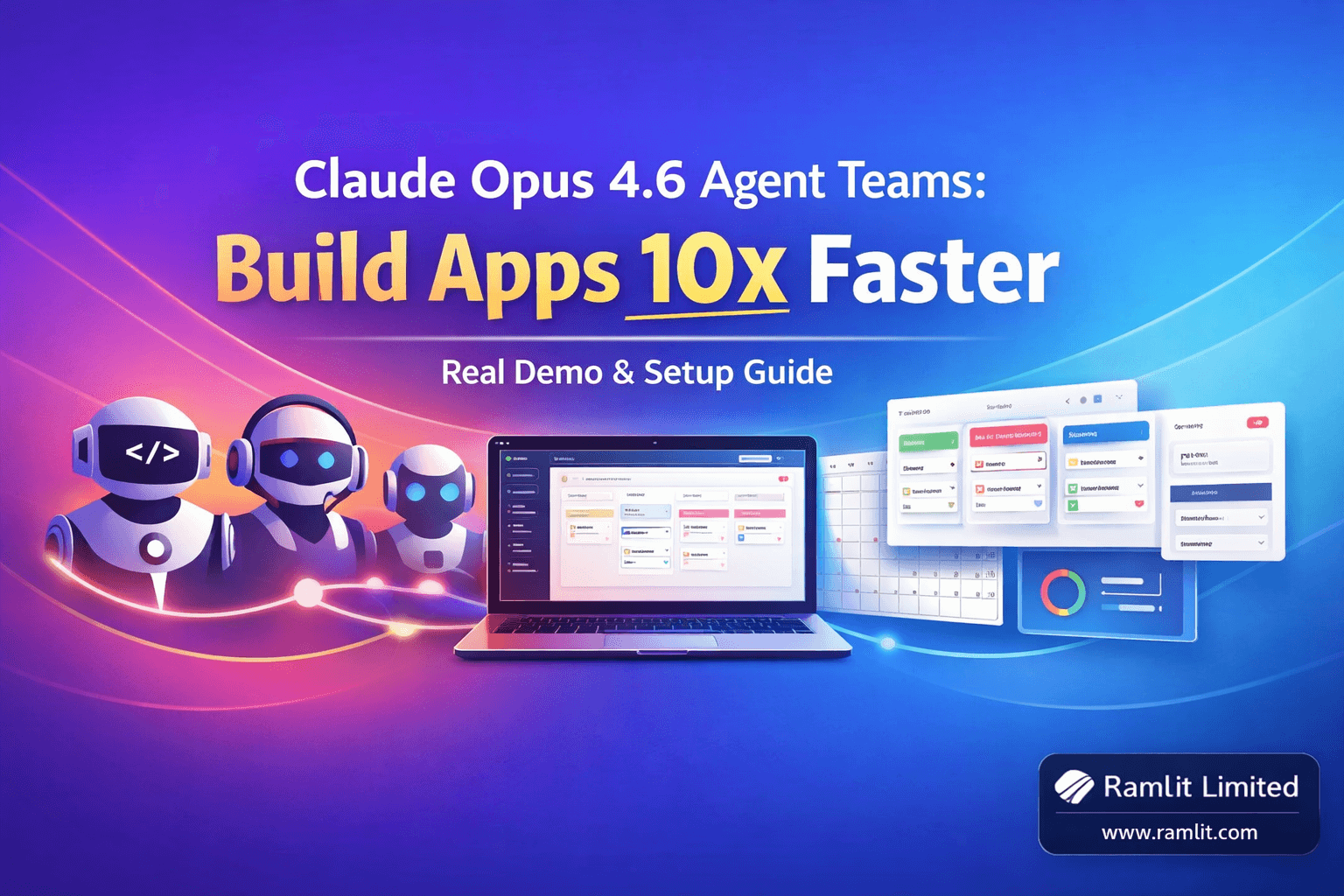
Claude Opus 4.6 Agent Teams: Build Apps 10x Faster
Six minutes. That's how long it took Claude Opus 4.6 to build a project management app with a Kanban board, calendar view, dashboard, and user settings — all from a single prompt. Not a skeleton. Not a wireframe. A working application with drag-and-drop functionality that looks like a stripped-down monday.com.
I've been building with Claude Code since it launched. I've pushed every model Anthropic has released through my real workflows, my real codebases, my real deadlines. And I'm telling you directly: agent teams change the entire equation. This isn't about the model being smarter or faster — though it is both. It's about the model being able to split itself into a coordinated team that builds in parallel, the same way a real engineering squad operates.
This post is the practical walkthrough. I'm covering how to set up Opus 4.6 in both Claudebot and Claude Code, how agent teams actually work under the hood, how to tune effort levels so you're not burning tokens on simple tasks, and a real demonstration that shows what's possible when you stop thinking about AI as a single assistant and start thinking about it as a development team. If you're already using Claude, this is the upgrade path. If you're not, this is the reason to start.
The Three Features That Actually Matter
Opus 4.6 shipped with a long list of improvements, but three features fundamentally change how I work with Claude every day. Understanding these three is the difference between using Opus 4.6 like a slightly better chatbot and using it like a force multiplier for your entire development workflow.
1 Million Token Context Window
The context window jumped from 200K tokens to 1 million tokens. I need to be specific about why this matters in practice, because the raw number is misleading without context.
With 200K tokens, I could load a handful of files, some documentation, and a conversation history before the model started compacting older context. That compaction meant Claude would forget details from earlier in our session — specific variable names, architectural decisions we'd already discussed, edge cases I'd flagged. I'd find myself re-explaining things the model should have known, wasting time on context management instead of actual building.
With 1 million tokens, that friction disappears. I load my entire project context — source files, test suites, configuration, deployment manifests — and the model holds all of it simultaneously. When I reference something from 30 minutes ago in the conversation, it's still there. When I ask the model to trace a bug across four files, it doesn't need me to re-paste those files. It already has them.
For Claudebot specifically, this turns it into what I'd call a genuine second brain. I can have conversations that span multiple sessions, reference past interactions, and the model maintains coherent understanding across all of it. I've started using Claudebot for overnight autonomous projects — kicking off long research tasks before bed and reviewing comprehensive results in the morning. The expanded context means these tasks produce genuinely useful output instead of fragmented summaries.
128K Token Output
The output ceiling went from 16K tokens to 128K tokens. That's eight times more code, documentation, or analysis in a single response. I used to hit the output cap constantly when generating comprehensive test suites or full module implementations, forcing me to chain prompts with "continue" and manually stitch results together. That workaround is dead. One prompt, one complete output.
This matters most for autonomous tasks. When I ask Claude Code to scaffold a complete feature — API endpoints, database models, service layer, tests — the model can deliver the entire implementation without artificial truncation. No more partial outputs that require human intervention to complete. The model plans the full scope, executes it, and delivers it whole.
Agent Teams
This is the headline feature, and it deserves its own deep section. But the short version: Claude Code can now spawn multiple independent agents that work on different parts of a task simultaneously, communicate with each other, and report back to a lead agent that coordinates the whole operation. It's the difference between having one fast developer and having a synchronized team.
Setting Up Opus 4.6 in Claude Code
The setup in Claude Code is straightforward. Open your terminal and check your available models — Opus 4.6 appears in the model list as claude-opus-4-6. Select it, and you're running the new model immediately.
The more interesting configuration is effort levels. Claude Code now exposes a toggle that lets you control how much computational effort the model applies to each request. You cycle through low, medium, and high using the arrow keys in the model selector.
Here's how I think about effort allocation based on what you're paying:
If you're on the $200 plan, run high effort across the board. You have the token budget to maximize the model's reasoning depth on every task, and the quality difference between medium and high is noticeable on complex architectural decisions.
If you're on the $100 plan, medium effort is your sweet spot for daily work. You can bump to high for specific tasks — security reviews, complex debugging sessions, architecture planning — without blowing through your allocation. I'd estimate 80% medium, 20% high as a sustainable split.
If you're on the $20 plan, low effort is your default. It's still Opus 4.6 — still smarter than any previous model — but it conserves tokens aggressively. Save medium or high for the tasks that genuinely need deep reasoning. Quick edits, simple refactors, code formatting — low effort handles these perfectly.
The key insight is that effort level doesn't change the model's intelligence. It changes how long the model spends thinking before responding. Low effort gives you a fast, competent answer. High effort gives you a deliberate, thorough answer. Both come from the same underlying model. Matching effort to task complexity is the single most effective way to optimize your Claude Code experience and your bill.
Setting Up Opus 4.6 in Claudebot
Claudebot hasn't officially integrated Opus 4.6 into its UI yet. The model works — Claudebot's infrastructure supports it — but the dropdown selector hasn't been updated to include it as an option. This means you need a manual configuration workaround until Anthropic pushes the official update.
The process is simple. You provide Claudebot with a specific prompt that instructs it to update its own configuration file to recognize claude-opus-4-6 as an available model. I've tested this method extensively, and it works cleanly. The configuration change persists across sessions until Claudebot's next official update, at which point the manual entry gets overwritten by the proper integration — which is fine, because by then it'll be natively supported.
Once you have Opus 4.6 running in Claudebot, my first recommendation is to use what I call reverse prompting. Instead of immediately giving the model tasks, ask it what it can do with its new capabilities based on your conversation history. Something like: "Given what you know about my projects and workflows from our past conversations, how would you leverage the 1 million token context and expanded output to improve our work together?"
This approach lets the model brainstorm optimized workflows tailored to your specific use case. I was genuinely surprised by some of the suggestions — it identified recurring patterns in my requests and proposed automation strategies I hadn't considered. The model is good enough now that asking it to design its own workflow is a legitimate strategy.
Agent Teams: The Feature That Changes Everything
Let me be precise about what agent teams are and how they differ from the sub-agents you might already be using.
Sub-agents have existed in Claude Code for a while. When you give Claude a complex task, it can spawn smaller agents to handle subtasks — reading files, running searches, executing commands. These sub-agents operate within the same session, sharing context with the main agent. They're useful but limited. They work sequentially, they can't communicate with each other, and they share a single context window.
Agent teams are fundamentally different. Each agent in a team runs in its own independent Claude Code session with its own context window. There's a hierarchy: a team lead agent coordinates the work, and individual agents own specific domains. The agents communicate upward to the lead, and the lead distributes information and resolves conflicts.
Think of it like the difference between a single developer using multiple browser tabs versus a team of developers with their own machines on a shared Slack channel. Both get work done. One of them scales.
Enabling Agent Teams
Agent teams are disabled by default. To enable them, you need to update your Claude Code settings. The cleanest way I've found is to ask Claude Code itself to enable the feature by reading the official documentation and updating the configuration. The model knows where its settings file lives, understands the schema, and makes the change correctly. Once enabled, the settings persist across sessions.
After enabling, you'll notice a new interaction pattern. When you give Claude Code a task that's large enough to benefit from parallelization, it will automatically propose splitting the work across multiple agents. You can see each agent's assignment, monitor their progress individually, and communicate with specific agents using keyboard shortcuts — Shift plus up or down arrow to navigate between them.
How Agents Coordinate
The coordination model is hierarchical, not flat. The team lead analyzes the task, identifies independent workstreams, and assigns each workstream to an agent. Agents that don't depend on each other start immediately. Agents with dependencies wait until their prerequisites are met.
Each agent maintains its own context. The frontend agent doesn't need to hold the database schema in its context window — it just needs the API contract. The API agent doesn't need to hold the component tree — it just needs the endpoint specifications. This isolation means each agent can work within a focused context, producing better results than a single agent trying to hold everything in memory simultaneously.
When conflicts arise — say, the frontend agent expects a response field that the API agent didn't include — the team lead resolves it by communicating the interface contract between agents. This coordination happens automatically without human intervention for most cases.
The Real Demo: A Project Management App in Six Minutes
I want to walk through a concrete example because abstract descriptions don't convey the speed and quality of this workflow.
I gave Claude Code a single prompt: build a project management application using Next.js with a Kanban board, calendar view, to-do list functionality, and a settings dashboard. No wireframes. No component specifications. No database schema. Just the high-level description.
Here's what happened. The team lead analyzed the task and identified five independent workstreams: store builder, layout builder, calendar builder, task builder, and pages builder. It spawned five agents, each assigned to one workstream. The store builder started defining the data models and state management. The layout builder began structuring the application shell — navigation, sidebar, main content area. The calendar builder worked on the calendar view component. The task builder handled the Kanban board and to-do list logic. The pages builder assembled the route structure and page compositions.
Tasks without dependencies launched simultaneously. The store builder and layout builder started first because other agents needed their outputs. As soon as the store was defined, the task builder and calendar builder picked up the data structures and began their work. The pages builder waited for layout and components before assembling the final views.
Six minutes later, I had a running application. The Kanban board supported drag-and-drop between columns — backlog, in progress, review, done. The calendar view rendered tasks on their due dates. The settings page included user personalization options and notification preferences. The dashboard showed task counts, upcoming deadlines, and project progress metrics.
Was it production-ready? No. Would I ship it to clients without review and refinement? Of course not. But would I have reached this point in six minutes working alone, or even with a junior developer? Not a chance. What used to be a day of scaffolding, component creation, and wiring became a single prompt. The remaining work — polish, edge cases, business logic refinements — is the kind of engineering work I actually want to spend my time on.
Optimizing Your Workflow for Maximum Impact
After spending serious time with agent teams, I've developed a set of practices that consistently produce the best results.
Describe the System, Not the Steps
Agent teams work best when you describe what you want built, not how to build it. Telling the model "create a project management app with a Kanban board, calendar, and settings" gives the team lead room to decompose the task intelligently. Telling it "first create the data models, then create the layout component, then..." defeats the purpose of parallel agents. Let the lead agent do the project management — that's literally what it's designed for.
Match Effort to Phase
I use high effort for the initial architecture and agent team task. This is where the model's deep reasoning matters most — decomposing the project, identifying dependencies, designing the coordination plan. Once agents are running their individual tasks, medium effort is sufficient for implementation work. After the team delivers, I switch to low effort for quick fixes, formatting adjustments, and minor tweaks.
This three-phase approach — high for planning, medium for building, low for polishing — gives me the best quality-to-cost ratio across a full development session.
Run Overnight Autonomous Projects
The 1 million token context combined with 128K token output makes overnight tasks genuinely practical. Before bed, I'll give Claudebot a research task — "analyze these five competing products, identify feature gaps, and propose a differentiated feature set for our next sprint" — and find a comprehensive, well-structured analysis waiting in the morning.
For Claude Code, overnight agent teams can handle larger scaffolding projects, comprehensive test suite generation, or documentation writing across an entire codebase. I leave the terminal running, come back to a diff that covers dozens of files, and spend my fresh morning energy reviewing and refining rather than generating from scratch.
Review as Diffs, Not Line by Line
When agent teams produce output across multiple files, resist the urge to read each file individually. Instead, look at the complete diff as a cohesive changeset. This mirrors how you'd review a pull request from a colleague, and it's the most efficient way to catch inconsistencies between what different agents produced. Agent teams are good at coordination, but they're not perfect — occasionally you'll find a naming inconsistency or a missing import that slipped through the inter-agent communication.
The Bigger Shift
Here's what I keep coming back to: agent teams aren't just a feature. They're a paradigm shift in how AI-assisted development works.
Every previous model upgrade was about making one AI assistant smarter or faster. Opus 4.6 is the first upgrade that changes the structure of the collaboration. You're no longer working with an assistant. You're working with a team. The lead agent handles project management. Specialized agents handle implementation. You handle the vision, the review, and the decisions that require human judgment.
This maps directly onto how real engineering teams operate. A tech lead decomposes a project into workstreams, assigns developers to each stream, coordinates the interfaces between them, and reviews the integrated result. Opus 4.6's agent teams do exactly this — except the developers spin up in seconds, don't need onboarding, and execute at machine speed.
I'm not saying agent teams replace human developers. I'm saying they compress the early phases of development — scaffolding, boilerplate, initial implementation — into minutes instead of hours or days. This frees human developers to focus on the work that actually requires human intelligence: understanding user needs, making architectural tradeoffs, handling edge cases that only experience can anticipate, and ensuring the final product meets real-world quality standards.
For anyone still on Opus 4.5 or an earlier model, the upgrade path is clear. Switch your Claude Code model to claude-opus-4-6, enable agent teams in your settings, and try it on your next multi-component feature. Give it a single high-level prompt and watch it decompose, assign, build, and deliver. The first time you see five agents working in parallel on your project, you'll understand why I'm writing this post.
The tools are here. The capability is real. The only question is whether you'll adopt it now or wait until everyone else already has.
Let's Work Together
Looking to build AI systems, automate workflows, or scale your tech infrastructure? I'd love to help.
- Fiverr (custom builds & integrations): fiverr.com/s/EgxYmWD
- Portfolio: mejba.me
- Ramlit Limited (enterprise solutions): ramlit.com
- ColorPark (design & branding): colorpark.io
- xCyberSecurity (security services): xcybersecurity.io