
Introduction
Your website suddenly goes down.
Instead of your homepage, you see:
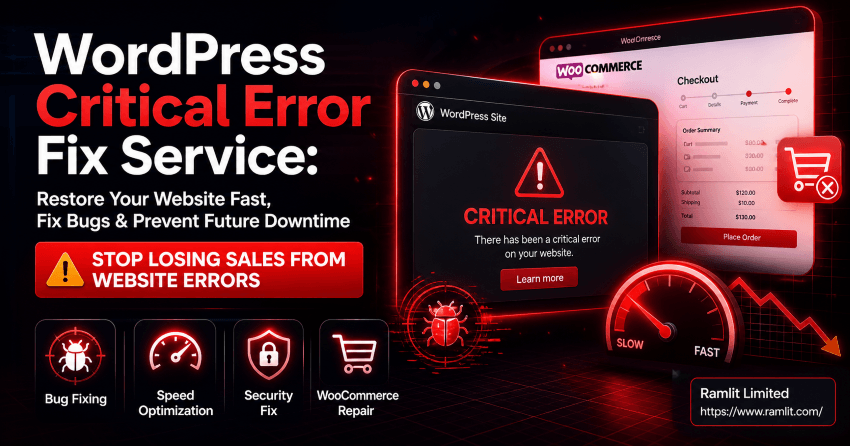
👉 “There has been a critical error on your website.”
No access. No customers. No business.
This is one of the most frustrating issues WordPress users face—and it can happen without warning.
A single plugin update, theme conflict, or server issue can bring your entire website offline.
And every minute your site stays down, you risk:
- Losing sales
- Damaging your reputation
- Dropping in search rankings
That’s why a professional WordPress Critical Error Fix Service is not just helpful—it’s essential.
In this guide, you’ll learn:
- What causes critical errors in WordPress
- How to fix them quickly
- How to prevent them in the future
- Why expert support saves time and money
What Is a WordPress Critical Error?
A WordPress critical error occurs when your site encounters a fatal issue that stops it from loading.
Common Symptoms
- White screen (blank page)
- “Critical error” message
- Admin dashboard not accessible
- Broken website functionality
👉 These errors usually mean something in your system has failed.
Top Causes of WordPress Critical Errors
Understanding the cause is the first step to fixing the issue.
1. Plugin Conflicts
- Incompatible plugins
- Faulty updates
- Poorly coded extensions
2. Theme Issues
- Broken theme files
- Compatibility problems
- Custom code errors
3. PHP Errors
- Outdated PHP version
- Memory limits exceeded
- Syntax errors
4. Server Configuration Problems
- Hosting issues
- File permission errors
- Misconfigured settings
5. Malware or Security Breaches
- Infected files
- Unauthorized changes
👉 Most critical errors are caused by a combination of these factors.
How to Fix WordPress Critical Errors (Step-by-Step)
Step 1: Enable Debug Mode
This helps identify the exact error.
Step 2: Disable Plugins
Deactivate all plugins and reactivate one by one to find the issue.
Step 3: Switch to Default Theme
Test if your theme is causing the problem.
Step 4: Check Error Logs
Server logs reveal hidden issues.
Step 5: Increase PHP Limits
Fix memory or execution-related errors.
Step 6: Restore Backup (If Needed)
Revert to a stable version.
👉 These steps work—but they require technical knowledge.
Why DIY Fixing Is Risky
Trying to fix errors without expertise can:
❌ Break your site further ❌ Cause data loss ❌ Waste valuable time
👉 A professional fix ensures safety and speed.
What You Get with a Professional Fix Service
A high-quality service doesn’t just fix the error—it solves the root cause.
🚀 1. Fast Website Recovery
- Get your site back online quickly
🛠️ 2. Root Cause Analysis
- Identify the exact issue
🔧 3. Bug Fixing & Optimization
- Fix broken code
- Improve performance
🔐 4. Security Check
- Remove malware
- Strengthen protection
⚙️ 5. Future Prevention Setup
- Prevent similar issues
👉 Result: A stable, secure, and optimized website.
Real Problems This Service Solves
Before fixing:
❌ Website down ❌ Lost traffic ❌ Frustrated users ❌ Revenue loss
After fixing:
✅ Website restored ✅ Smooth performance ✅ Improved security ✅ Peace of mind
Who Needs This Service?
Business Owners
- Avoid downtime losses
eCommerce Stores
- Protect sales
Bloggers
- Maintain traffic
Agencies
- Deliver reliable service
👉 If your website is important to your business—you need this.
How to Prevent WordPress Critical Errors
✔ Regular updates (plugins & themes)
✔ Use trusted plugins only
✔ Backup your website regularly
✔ Monitor performance
✔ Secure your website
👉 Prevention is always better than recovery.
Our Approach (Why This Service Works)
We don’t just fix issues—we build stability.
We:
✔ Diagnose accurately ✔ Fix root causes ✔ Optimize performance ✔ Secure your website
👉 Focus: Speed + Stability + Security
Quick Takeaways
- WordPress critical errors can happen anytime
- Fast recovery is essential
- Root cause must be fixed
- Security is important
- Professional help saves time
Call to Action (CTA)
Your website is your business.
Don’t let a critical error stop your growth.
If you want: ✔ Fast recovery ✔ Reliable bug fixes ✔ Long-term stability
Then it’s time to fix your WordPress site the right way.
💬 Get your website back online today—reach out now.
FAQ Section
1. How fast can the issue be fixed?
Most errors can be fixed within hours.
2. Will my data be safe?
Yes, professional services ensure data protection.
3. Can this happen again?
Yes, but proper setup reduces risk.
4. Do I need backups?
Absolutely, backups are essential.
5. Is it expensive?
Fixing errors is cheaper than losing business.
Final Thought
A broken website doesn’t just affect your system.
👉 It affects your business.
And fixing it quickly is not just technical—it’s strategic. 🚀
Let's Work Together
Looking to build AI systems, automate workflows, or scale your tech infrastructure? I'd love to help.
- Fiverr (custom builds & integrations): fiverr.com/s/EgxYmWD
- Portfolio: mejba.me
- Ramlit Limited (enterprise solutions): ramlit.com
- ColorPark (design & branding): colorpark.io
- xCyberSecurity (security services): xcybersecurity.io