
Introduction
You’ve done the hard part.
You’ve selected your products, set up your WooCommerce store, written descriptions, maybe even run ads… and yet, something’s not working.
Visitors come. They browse. And then — they leave.
No purchases. No momentum. Just a growing sense that something is off.
Here’s the reality most store owners overlook: Your WooCommerce store doesn’t fail because of your product. It fails because of experience.
If your site is slow, users won’t wait. If it feels insecure, they won’t trust you. If checkout is complicated, they won’t convert.
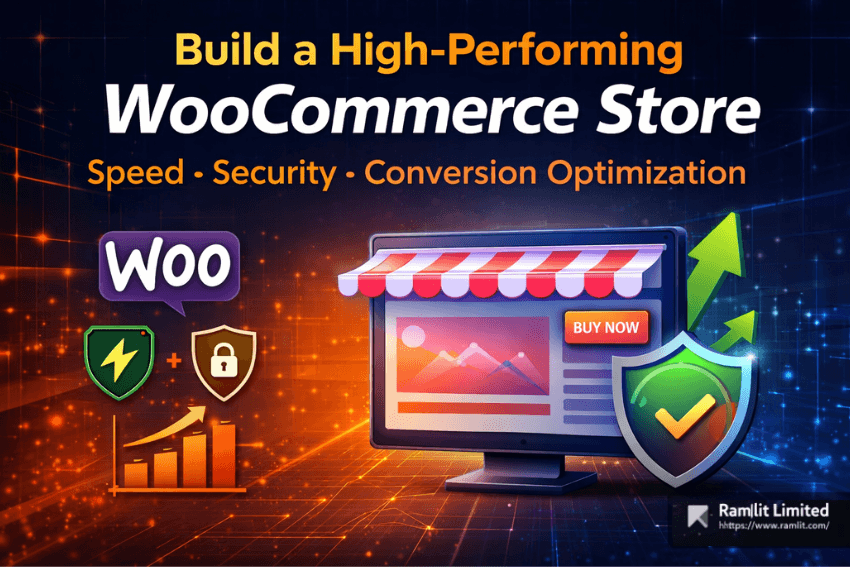
The difference between a struggling store and a high-performing one often comes down to three pillars: speed, security, and conversion optimization.
In this guide, you’ll learn exactly how to build a WooCommerce store that not only looks good — but performs exceptionally well. One that loads fast, builds trust instantly, and turns visitors into paying customers.
Why Most WooCommerce Stores Fail to Convert
WooCommerce is powerful — but that power comes with responsibility.
Many store owners unknowingly sabotage their performance with:
- Bloated themes and unnecessary plugins
- Cheap hosting that can’t handle traffic
- Poorly optimized images and scripts
- Weak security setups
- Complicated checkout experiences
The result?
- High bounce rates
- Low conversion rates
- Lost revenue
Speed, trust, and simplicity are no longer optional — they are expected.
Foundation First: Choosing the Right Hosting
Your hosting is the backbone of your store.
A slow server means a slow website — no matter how well you optimize everything else.
Shared Hosting vs Managed Hosting
Shared Hosting:
- Cheap but limited resources
- Performance drops during traffic spikes
- Higher risk of downtime
Managed WooCommerce Hosting:
- Optimized specifically for WordPress
- Better speed and uptime
- Built-in caching and security
If you’re serious about growth, managed hosting is not a luxury — it’s a necessity.
What to Look for in a Hosting Provider
Choose a host that offers:
- PHP 8.2+ support
- LiteSpeed or Nginx servers
- Built-in CDN integration
- Automatic backups
- Strong uptime guarantees
Also, select a server location close to your target audience to reduce latency.
Speed Optimization: Make Your Store Lightning Fast
Speed is directly tied to revenue.
Even a 1-second delay can significantly reduce conversions.
1. Use a Lightweight Theme
Avoid heavy, multipurpose themes loaded with unnecessary features.
Instead, choose:
- Astra
- GeneratePress
- Kadence
These are optimized for performance and flexibility.
2. Implement Smart Caching
Caching reduces server load and speeds up page delivery.
Recommended tools:
- WP Rocket (premium, beginner-friendly)
- LiteSpeed Cache (excellent for LiteSpeed servers)
3. Optimize Images Properly
Images often make up the majority of page size.
Best practices:
- Compress images without losing quality
- Use WebP format
- Enable lazy loading
Tools like ShortPixel or Imagify can automate this process.
4. Use a Content Delivery Network (CDN)
A CDN distributes your content globally, reducing load time.
Benefits:
- Faster global access
- Reduced server load
- Added security (DDoS protection)
Cloudflare is a popular and effective option.
5. Minimize Scripts and Plugins
Every plugin adds weight.
Audit your plugins regularly and remove anything unnecessary.
Also:
- Disable unused scripts
- Minify CSS and JavaScript
- Defer non-critical resources
Security: Building Trust and Protecting Revenue
Security is not just about protection — it’s about trust.
If users feel unsafe, they won’t buy.
1. Enable SSL (HTTPS)
This is mandatory.
Without SSL:
- Browsers show “Not Secure” warnings
- Customers lose trust instantly
Most hosts offer free SSL certificates.
2. Use a Security Plugin
Install a reliable plugin such as:
- Wordfence
- Solid Security
These provide:
- Firewall protection
- Malware scanning
- Login security
3. Strengthen Login Protection
Protect your admin area by:
- Enabling two-factor authentication
- Limiting login attempts
- Changing default login URLs
4. Keep Everything Updated
Outdated plugins and themes are the biggest vulnerabilities.
Make it a habit to:
- Update weekly
- Test updates on staging first
5. Backup Your Store Regularly
Backups are your safety net.
Use tools like UpdraftPlus to:
- Schedule automatic backups
- Store them offsite
Conversion Rate Optimization (CRO): Turn Visitors into Buyers
Traffic means nothing without conversions.
CRO is where your revenue is unlocked.
1. Optimize Product Pages
Your product page is your salesperson.
Must-Have Elements:
- High-quality images with zoom
- Benefit-driven descriptions
- Clear pricing and CTA
- Customer reviews and ratings
Focus on why the product matters, not just what it does.
2. Simplify the Checkout Process
Complicated checkout = abandoned carts.
Improve Checkout by:
- Allowing guest checkout
- Reducing form fields
- Adding progress indicators
- Offering multiple payment options
The goal is simple: remove friction.
3. Build Trust Signals Everywhere
Trust drives conversions.
Include:
- Secure payment badges
- Clear return policy
- Real customer reviews
- Transparent contact information
Small details make a big difference.
4. Use Cart Recovery Strategies
Most users won’t buy on their first visit.
Recover lost sales with:
- Abandoned cart emails
- Retargeting ads
- Limited-time offers
5. Mobile Optimization Is Critical
More than half of traffic comes from mobile.
Ensure:
- Fast load times
- Easy navigation
- Simple checkout
If your mobile experience is poor, you’re losing sales.
Essential Plugins for a High-Performing Store
Keep your stack lean but powerful.
Performance
- WP Rocket
Security
- Wordfence
Backups
- UpdraftPlus
SEO
- Rank Math
Conversion Optimization
- CartFlows
Image Optimization
- ShortPixel
Remember: fewer, high-quality plugins outperform many low-quality ones.
Ongoing Maintenance: Keep Your Store Performing
Launching is just the beginning.
Weekly Tasks
- Update plugins and themes
- Monitor security logs
Monthly Tasks
- Run speed tests
- Analyze conversion rates
Quarterly Tasks
- Audit plugins
- Test full checkout flow
Monitoring Tools
Use uptime monitoring tools to ensure your store stays online.
Common Mistakes to Avoid
1. Focusing Only on Design
A beautiful store that’s slow or confusing won’t convert.
2. Ignoring Speed Optimization
Speed is a ranking factor and conversion driver.
3. Overloading with Plugins
More plugins = more problems.
4. Neglecting Security
One breach can destroy trust instantly.
5. Skipping Testing
Always test:
- Checkout process
- Mobile experience
- Site speed
Quick Takeaways
- Speed directly impacts conversions and SEO
- Security builds trust and protects your business
- Simplified checkout increases sales
- Use fewer, high-quality plugins
- Optimize continuously — not just once
- Focus on user experience over design alone
Call to Action (CTA)
Building a high-converting WooCommerce store isn’t about adding more features — it’s about making smarter decisions.
If you want a store that loads fast, feels secure, and converts consistently, you need the right strategy and execution.
Start implementing these steps today.
Or, if you want to skip months of trial and error and launch a fully optimized, high-performing WooCommerce store — consider working with an expert who can do it right the first time.
Your products deserve a store that sells.
FAQ Section
1. How fast should a WooCommerce store load?
Ideally under 2–3 seconds. Faster sites convert significantly better.
2. Is shared hosting enough for WooCommerce?
For small stores, maybe. For growth and performance, managed hosting is recommended.
3. How many plugins should I use?
Only what’s necessary. Quality matters more than quantity.
4. What is the biggest conversion killer?
Slow load times and complicated checkout processes.
🤝 Hire / Work with me:
- 🔗 Fiverr (custom builds, integrations, performance): Fiverr
- 🌐 Mejba Personal Portfolio: Mejba
- 🏢 Ramlit Limited: Ramlit
- 🎨 ColorPark Creative Agency: ColorPark
- 🛡 xCyberSecurity Global Services: xCyberSecurity