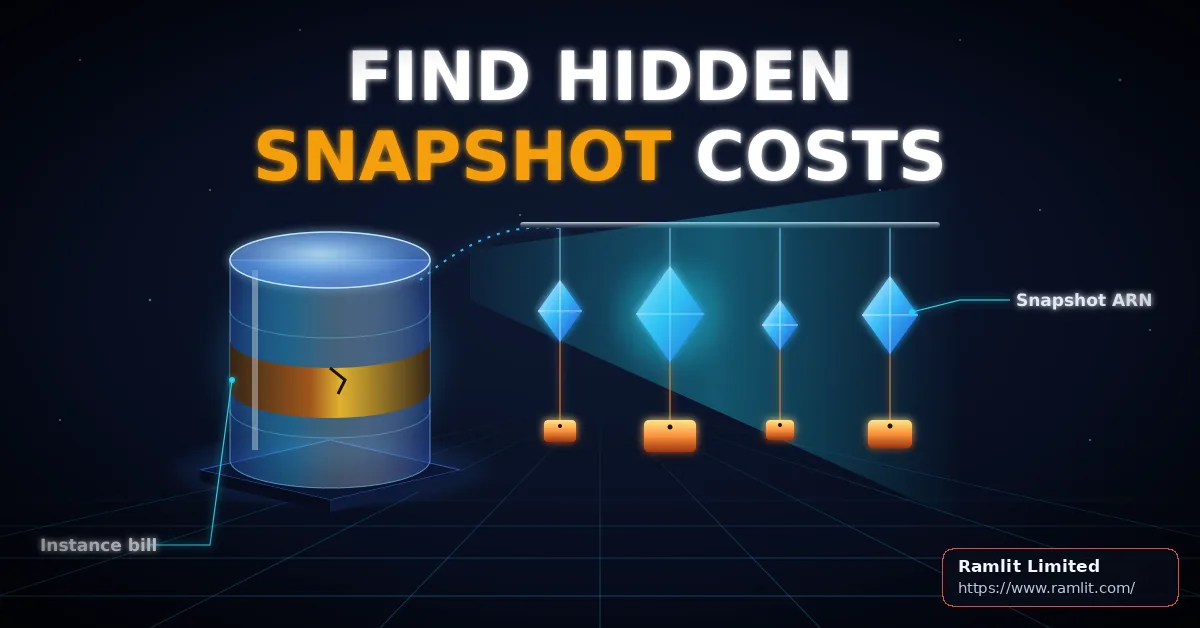

Your AWS bill has always shown that Amazon RDS backups cost money, but until now it could not tell you which snapshots were responsible, so nobody could safely decide what to delete. After reading this, you will know what AWS changed in November 2026, which finance rules it quietly breaks, and how to decide for each manual snapshot whether to keep it, export it or delete it without weakening your ability to recover.
For a founder or CTO, this matters in three ways. Cost: you can now find the specific snapshots driving backup spend. Risk: budgets and chargeback reports that worked last month may now under-report. Timeline: fixing those rules belongs before your next finance close, not after someone notices a gap.
What AWS changed on 2 November 2026, and what it silently breaks
AWS announced per snapshot billing for Amazon RDS on 2 November 2026. Previously, snapshot charges were aggregated at the database instance level in the Cost and Usage Report (CUR) and in Cost Explorer. You could see that a production database carried backup costs, but not which of its snapshots caused them. The same announcement states that per snapshot billing is enabled by default on all RDS snapshots at no additional charge, so there is nothing to switch on.
The RDS backup documentation is clear that pricing and overall charges stay the same; only attribution and presentation change. Your bill does not go up. What changes is where the charges land, and that is the part that can hurt.
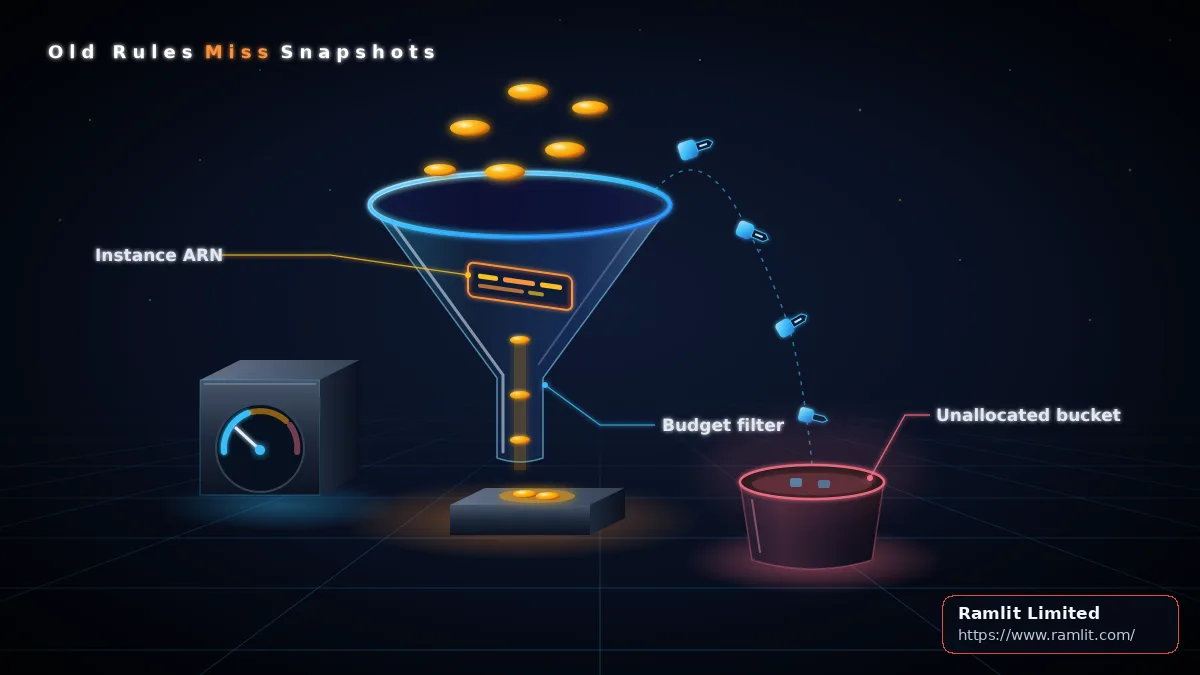
The same page warns that any rule attributing snapshot charges by matching a DB instance ARN in the CUR ResourceId field no longer matches those charges. That includes AWS Cost Categories, AWS Budgets filters and chargeback jobs that read ResourceId. AWS says to update those rules to match RDS snapshot ARNs or to apply cost allocation tags to your snapshots.
A concrete example: a budget filtered on your production database's instance ARN used to include that database's snapshot storage. From November it shows only the instance's other charges. The budget looks healthy while backup spend sits outside it. If a business unit is charged back by instance, its invoice drops and the difference lands in an unallocated bucket that someone has to explain.
The tradeoff is reasonable: much better visibility in exchange for a one-time rework of cost rules. The decision for you is who owns that rework and by when. For broader context, see Maximize Cloud Efficiency and Cut Costs: How AWS Consulting Services Can Transform Your Business.
Reading snapshot costs in the CUR, and why your per-instance numbers moved
According to the RDS documentation, snapshot storage charges now appear at the individual snapshot level in Cost Explorer and the CUR. In the CUR, the ResourceId of each DB snapshot shows its RDS snapshot ARN, and each DB cluster snapshot shows its cluster snapshot ARN. Each snapshot is its own line item. Charges for snapshots whose source database has been deleted are attributed to the snapshot ARN, so there are no line items with a blank ResourceId. Cross-Region and cross-account copies are attributed to the snapshot ARN in the destination account or Region.
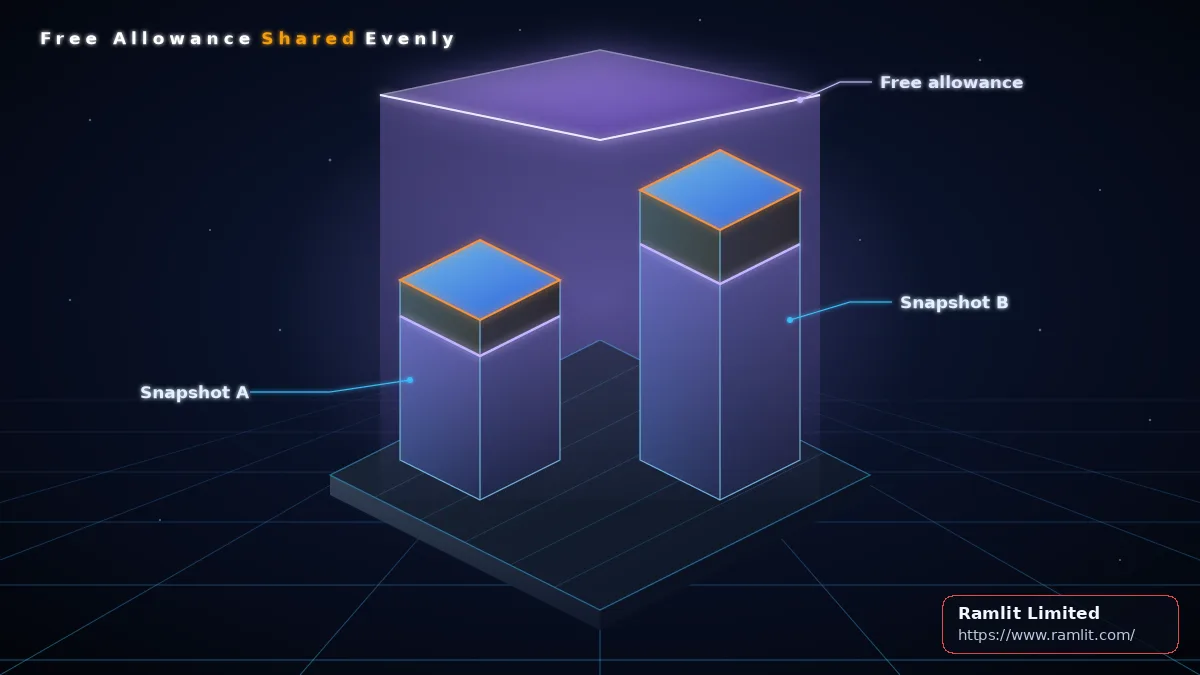
The second surprise is the free allowance. RDS gives each account free backup storage in each Region equal to 100 percent of total provisioned database storage. That allowance is applied as a single percentage discount across every snapshot, not subtracted from one snapshot. AWS's own example:
- Provisioned storage is 100 GB, so the free allowance is 100 GB.
- Snapshot A is 50 GB and snapshot B is 75 GB, for 125 GB in total.
- 100 / 125 = 80 percent free, applied to each snapshot.
- A is billed for 10 GB, B for 15 GB, 25 GB in total.
The consequence: if you rebuild per-database totals from tags, they will not match the per-instance figures you saw before, even though the account total is unchanged. Warn your finance team before the first month-on-month comparison, or they will chase a discrepancy that is not an error.
Also remember that the CUR documentation describes mid-month report updates as estimates that are finalized after the invoice is issued. Judge any cleanup against finalized data.
The attribution rule below is a design recommendation for rebuilding a chargeback job. The tag key source-instance is an example name you would choose yourself.
# Design recommendation: attribute one CUR line item for RDS snapshot storage
def attribute(line):
    owner = line.tags.get("source-instance")   # your cost allocation tag
    if owner:
        return ("instance", owner)
    # DB snapshot ARN pattern: arn:aws:rds:REGION:ACCOUNT:snapshot:NAME
    if matches(line.resource_id, "arn:aws:rds:*:*:snapshot:*"):
        return ("untagged snapshot", line.resource_id)
    return legacy_instance_rule(line)            # old instance-ARN matching
The tag is checked first because AWS notes that cost allocation tags keep working on a snapshot after its source instance is deleted. Untagged snapshots get their own bucket instead of disappearing. Cluster snapshots carry a cluster snapshot ARN; confirm that pattern in your own CUR before adding a rule for it, so they do not fall through to the legacy branch.
Automated backups versus manual snapshots: what retention actually controls
Many teams assume their backup retention setting caps backup spend. It does not cover everything.
Automated backups follow the retention period. Per the RDS backup documentation, if you choose to retain automated backups when deleting an instance, they are kept for the full retention period; if you do not, they are deleted with the instance.
Manual snapshots behave differently. The snapshot creation guide states that manual snapshots are not subject to the backup retention period and do not expire. Final and manual snapshots are independent of automated backups, are not deleted when the instance is deleted, and are capped at 100 manual snapshots per Region. If you share a snapshot, you still own it and pay its storage; if someone copies a snapshot you shared, the copy's storage is billed to their account.
A typical failure case: a staging database is deleted after a project ends, with a final snapshot taken just in case. The database is gone from every dashboard, but the snapshot keeps billing indefinitely, because nothing in the retention setting ever touches it. Under the old instance-level view, that charge was hard to trace. Now it shows up as its own line item.
The tradeoff is safety versus drift. No expiry means nobody loses a restore point by accident, but it also means costs accumulate until a person decides. That decision needs an owner and a rule.
Keep, export or delete: a safe decision rule for each manual snapshot
There are three options for each manual snapshot, and each has a different risk profile.
Keep it when it is inside a recovery or compliance window, or when it is the only restore point for a system still in use.
Export to S3 when you only need the data for analysis or record-keeping. The snapshot creation guide recommends exporting to Amazon S3 for very long-term retention of MariaDB, MySQL and PostgreSQL data, and notes that once an engine major version is no longer supported, you cannot restore to that version from a snapshot. The catch, from the export documentation: exported data cannot be restored to a new DB instance or imported into an existing one. You get queryable Parquet files, not a backup you can bring back online in one step. Export availability varies by engine, version and Region, so confirm support for your databases before planning around it.
Exports also do not capture everything. The documentation lists these limitations:
- Tables with slashes in their names are skipped.
- RDS for PostgreSQL temporary and unlogged tables are skipped.
- Tables with unsupported characters in column names, including spaces, are skipped.
- Tables with a row close to or above 2 GB are skipped.
- Views and materialized views are not exported.
- A large object such as a BLOB or CLOB close to or above 500 MB makes the export fail.
Operational limits matter for sequencing. Only one export task can run against a snapshot at a time, full or partial, and an account can have at most five export tasks in progress. If you delete a snapshot during its export, you are still charged for its storage until the task completes, so deleting early saves nothing and removes your fallback.
Delete when the source system is gone and nobody owns the snapshot or has a retention reason for it.
The classifier below is a design recommendation, not an AWS API. Field names stand for facts you collect in your own inventory.
# Design recommendation: classify each manual snapshot
def classify(snap, inv):
    if snap.in_recovery_or_compliance_window or snap.sole_restore_point_live:
        return "KEEP"
    if snap.needs_queryable_history_only:
        if has_export_limitations(inv):
            return "REVIEW"
        return "EXPORT_THEN_DELETE"
    if snap.source_deleted and not snap.owner and not snap.retention_reason:
        return "DELETE"
    return "REVIEW"

def has_export_limitations(inv):
    return (inv.pg_temp_or_unlogged_tables or inv.slash_in_table_names
            or inv.unsupported_column_name_chars or inv.rows_near_2gb
            or inv.lobs_near_500mb or inv.views_needed)

# Queue: one export per snapshot, at most five in progress per account
def finalize(snap, task, s3_tables):
    if not task.confirmed_complete:      # failed, canceled or still running
        return "REVIEW"                  # keep the snapshot
    if not set(snap.expected_tables) <= set(s3_tables):
        return "REVIEW"                  # keep the snapshot
    return "DELETE"
Two gates protect you. Before export, has_export_limitations sends any snapshot with a documented limitation to a person instead of an automatic delete. After export, finalize deletes only when the task is confirmed complete and every expected table is present in S3. A failed, canceled or unfinished task keeps the snapshot and routes it to review, so a failed export never becomes lost data.
The tradeoff is clear: exporting cuts RDS snapshot storage but gives up a direct restore. For anything you might need to run again as a database, keep the snapshot. For background on the destination, see Why Amazon S3 is the Smart Choice for Scalable, Secure Cloud Storage.
FAQ
Do I need to turn per-snapshot billing on? No. AWS enabled it by default on all RDS snapshots at no additional charge.
Will my bill go up? No. AWS states that snapshot pricing and overall charges remain the same.
Why don't my per-database totals match last month? The free allowance is applied as one percentage discount across all snapshots in the account and Region, so tag-based per-instance totals differ from the old view.
Can I restore a database from an S3 export? No. Exported data cannot be restored to a new instance or imported into an existing one.
Does deleting a database delete its manual snapshots? No. Manual and final snapshots survive instance deletion and do not expire.
Will an export capture everything? Not always. Some tables are skipped, views are not exported, and very large objects make the export fail.
Run a snapshot cost review before your next finance close
- List every Cost Category, Budgets filter and chargeback job that matches instance ARNs in ResourceId, and repoint them to snapshot ARNs or tags.
- Tag each snapshot with its source instance and a named owner.
- Sort CUR snapshot line items by cost to find the largest and the orphaned ones.
- Apply the keep, export or delete rule, deleting only after a confirmed complete export with every expected table present in S3.
- Check the effect in the finalized CUR, not the mid-month estimates.
Steps 1 and 2 protect reporting accuracy and should happen first. Steps 3 to 5 are where spend actually falls, and they carry the recovery risk, so give them a named owner and a written retention policy.
Planning this for your business? See Cloud & DevOps Services for packages and starting prices.