
AI Business Automation: A Practical Guide to Automating Workflows in 2026
The most useful business automation systems are not the ones that put AI into every task.
They are the ones that know where AI is actually needed.
A fixed rule can route an invoice based on its amount. You do not need a large language model for that.
But understanding an unstructured customer email, identifying its intent, extracting relevant information, deciding which workflow should run, and drafting an appropriate response requires something more flexible.
That is where AI business automation becomes valuable.
Modern automation combines traditional workflow logic, AI models, business data, APIs, software integrations, and—increasingly—AI agents capable of choosing and executing appropriate actions.
The goal is not simply to "use AI."
The goal is to redesign repetitive or fragmented business processes so that people spend less time transferring information between systems, searching for context, preparing routine responses, and performing predictable administrative work.
This guide explains where AI automation makes sense, where it does not, which platforms businesses can consider in 2026, and how to design an automation system that is useful, measurable, and controllable.
What Is AI Business Automation?
AI business automation is the use of artificial intelligence within automated workflows to understand information, make bounded decisions, generate outputs, or choose actions that would be difficult to handle with fixed rules alone.
Traditional automation generally follows logic such as:
When X happens, perform Y.
For example:
- When an order is completed, send a confirmation email.
- When a form is submitted, create a CRM record.
- When an invoice exceeds a threshold, request approval.
These workflows are deterministic. The possible conditions and actions are defined in advance.
AI introduces an interpretation layer.
An AI-powered workflow might instead:
- Receive an inbound customer message.
- Identify the customer's intent.
- Extract the order number and product mentioned.
- Retrieve relevant information.
- Decide whether the request can be handled automatically.
- Generate a response based on approved knowledge.
- Escalate the conversation when confidence is low or human judgment is required.
This distinction matters because not every automation problem is an AI problem.
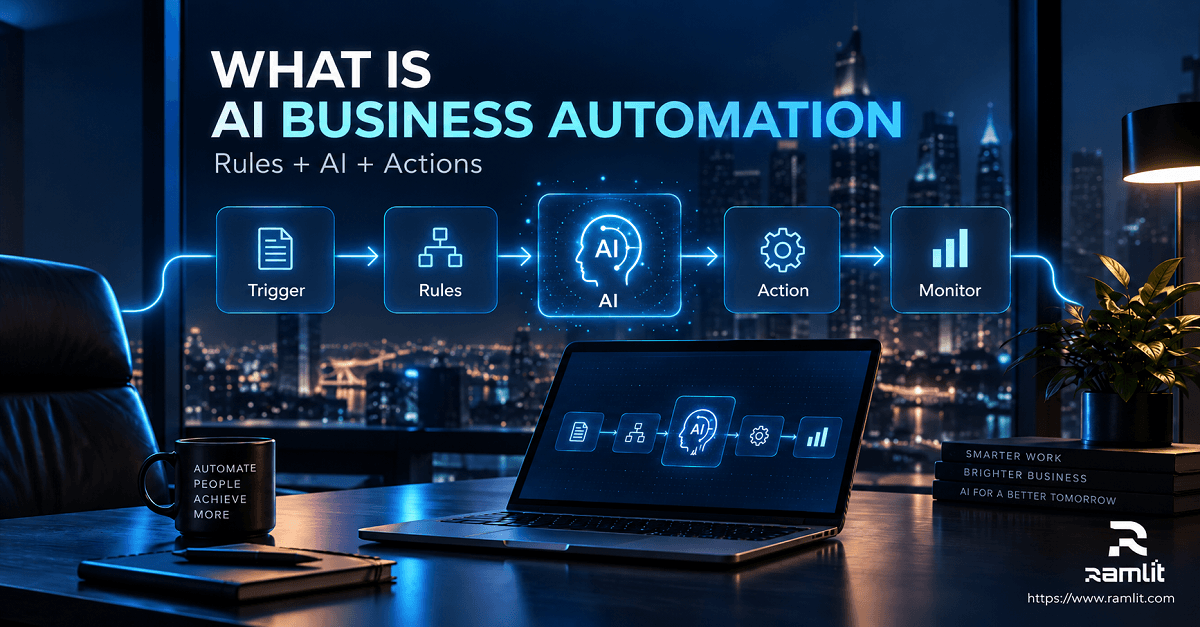
Traditional Automation vs AI Automation vs AI Agents
The terminology around automation can become confusing, particularly as vendors increasingly use the term "agent."
A practical way to separate the concepts is:
| Approach | Best suited for | Example |
|---|---|---|
| Traditional automation | Predictable, rule-based processes | Copying a completed order into an accounting system |
| AI-assisted automation | Tasks requiring interpretation or generation | Classifying an email and drafting a response |
| AI agents | Multi-step tasks where the system needs to decide which approved tools or actions to use | Researching a lead, updating CRM data, preparing outreach, and requesting approval before sending |
The strongest business systems often use all three approaches together.
Rules should handle predictable steps.
AI should handle ambiguity.
Agents should be introduced when workflows require dynamic decision-making across multiple systems.
Human approval should remain available where mistakes could create significant financial, operational, legal, security, or customer consequences.
Where AI Business Automation Creates the Most Value
The best automation opportunities usually share several characteristics:
- The task happens frequently.
- Employees repeatedly move information between systems.
- Much of the work follows recognizable patterns.
- Inputs contain unstructured information such as emails, documents, chats, or notes.
- Delays affect customers or revenue.
- The workflow can be measured.
- Errors are detectable or reversible.
Here are several areas where those conditions commonly appear.
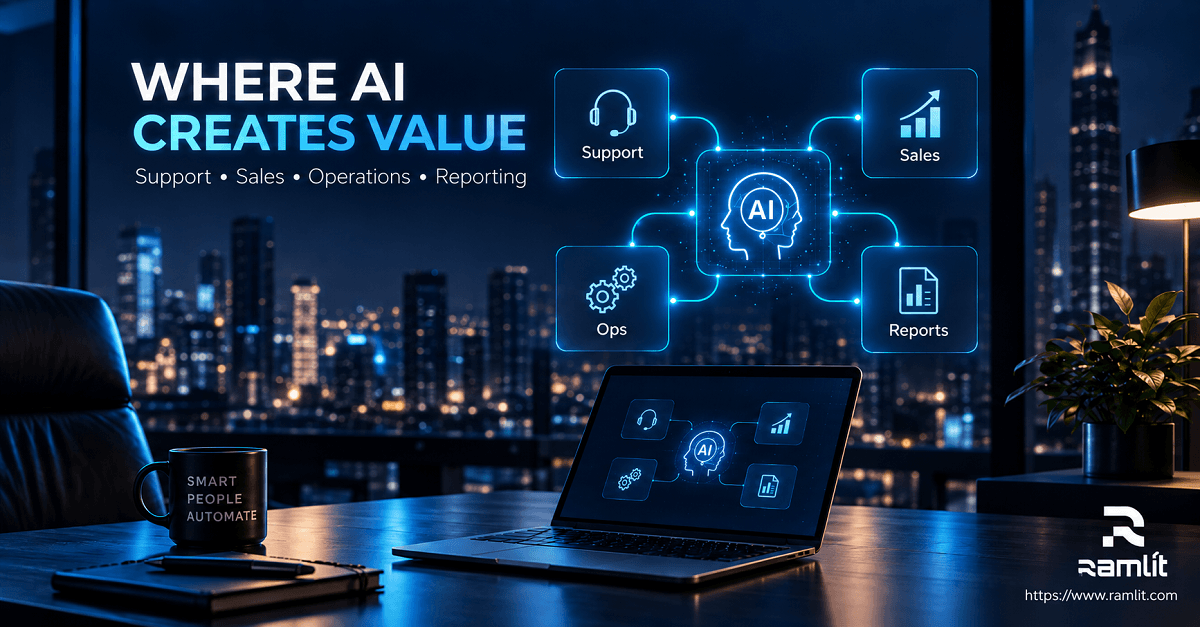
1. Customer Support Automation
Customer support is one of the clearest applications of AI automation because teams repeatedly receive variations of similar questions.
An AI support workflow can potentially:
- Classify incoming conversations
- Identify customer intent
- Search approved knowledge
- Suggest or generate answers
- Retrieve account or order information
- Update ticket fields
- Route conversations
- Summarize long threads
- Escalate exceptions to people
The important distinction is between answering and resolving.
A basic chatbot may produce text.
A more capable support system can connect that conversation to actual business tools and perform permitted actions.
Current platforms reflect this shift. Fin AI Agent, for example, is designed for roles across service, sales, and ecommerce and can operate alongside existing helpdesk workflows. Zendesk has similarly expanded its platform around AI agents that combine knowledge, workflows, connected systems, and business-specific actions.
A practical support architecture might look like:
Customer message
       ↓
Intent classification
       ↓
Retrieve customer + knowledge context
       ↓
Can the request be safely automated?
       ↓
   Yes             No
    ↓               ↓
Perform action   Human agent
    ↓
Validate result
    ↓
Respond + log outcome
The human handoff is not a failure of the automation.
It is part of the design.
2. Sales and Lead Management
Sales teams often lose time not because selling itself should be automated, but because supporting activities are fragmented.
An AI-assisted lead workflow can:
- Enrich a new lead
- Research a company
- Summarize account information
- Categorize the opportunity
- Identify missing CRM information
- Draft personalized outreach
- Create follow-up tasks
- Summarize calls
- Update CRM fields
- Notify the appropriate salesperson
HubSpot, for example, currently offers AI-driven customer and prospecting agents. Its prospecting agent can research companies and contacts and help prepare outreach based on defined segments and personas. HubSpot also provides tools for building custom agents and agentic automations from natural-language descriptions.
That does not mean every prospect should receive autonomous AI-generated outreach.
High-value accounts may benefit from AI research and drafting while leaving the final communication to a salesperson.
Automation should remove preparation work without removing the judgment that actually closes complex deals.
3. Marketing Operations
Marketing automation existed long before generative AI.
The useful change is that AI can now work with information that previously required people to interpret manually.
Potential workflows include:
- Categorizing campaign responses
- Repurposing approved content
- Summarizing research
- Preparing campaign variants
- Segmenting inbound requests
- Extracting customer themes from feedback
- Generating first drafts
- Routing qualified inquiries
- Preparing reporting summaries
A common mistake is using AI simply to produce more content.
More output does not necessarily create more business value.
A stronger automation connects content production to a controlled workflow:
Approved topic
→ Research/source material
→ Structured draft
→ Fact verification
→ Human review
→ CMS
→ Distribution
→ Performance data
The system should reduce repetitive production work while preserving editorial judgment.
4. Internal Operations and Administration
Some of the highest-value automations are invisible to customers.
Examples include:
- Processing form submissions
- Extracting information from documents
- Categorizing incoming requests
- Preparing meeting summaries
- Generating recurring reports
- Updating databases
- Routing approvals
- Comparing documents
- Monitoring operational exceptions
- Creating internal task lists
This is where workflow orchestration platforms can be particularly useful.
Zapier now describes its platform as infrastructure for AI-powered automation and supports no-code, low-code, and full-code approaches across more than 9,000 apps. Make's current AI Agents can orchestrate processes across more than 3,000 apps inside its visual automation environment.
The numbers are less important than the architectural lesson:
AI becomes substantially more useful when it can safely interact with the systems where business work already happens.
5. Data Analysis and Reporting
A significant amount of business reporting consists of:
- Gathering data
- Cleaning or organizing it
- Calculating metrics
- Identifying anomalies
- Explaining what changed
- Preparing a report for decision-makers
Not all of those stages should be performed by generative AI.
Calculations should generally remain deterministic.
AI becomes particularly useful for interacting with properly prepared data, finding relevant information, explaining patterns, producing summaries, and helping people explore reports.
Microsoft's current Copilot capabilities for Power BI, for example, support natural-language interaction with business data, report creation and editing, summarization, and DAX-related assistance. Some Power BI agent experiences remain in preview, so organizations should check the capabilities available in their environment rather than assuming every feature is generally available.
A good rule is:
Let software calculate the number. Let AI help explain what the number may mean.
And keep a person involved when that interpretation drives a consequential decision.
6. Finance and Document Workflows
Finance teams frequently process structured and semi-structured documents.
Useful automation opportunities can include:
- Invoice extraction
- Expense categorization
- Document matching
- Payment-request routing
- Variance explanations
- Financial report summaries
- Missing-information detection
- Approval reminders
AI should not automatically receive authority simply because it can interpret the document.
For sensitive workflows, separate analysis authority from transaction authority.
For example:
AI reads invoice
→ extracts fields
→ checks expected values
→ flags anomaly
→ prepares recommendation
→ authorized person approves
→ payment system executes
That approval boundary limits the consequences of incorrect model output.
7. HR and Recruiting
AI can assist with administrative recruiting work such as:
- Summarizing applications
- Scheduling interviews
- Drafting communications
- Organizing candidate information
- Searching internal policy documentation
However, employment automation deserves much more caution than a routine marketing workflow.
The EU AI Act explicitly identifies certain AI systems used for employment and worker management—including systems used to analyze or filter job applications or evaluate candidates—as high-risk use cases. Relevant high-risk rules have their own implementation timeline, so businesses operating in affected jurisdictions should obtain appropriate legal and compliance guidance before automating consequential employment decisions.
AI can assist HR workflows.
That does not automatically make it appropriate to let AI decide who gets hired, promoted, disciplined, or dismissed.
A Better Architecture for AI Automation
A production automation system should usually contain more than a prompt connected to an API.
A stronger architecture looks something like this:
Trigger
   ↓
Data validation
   ↓
Context retrieval
   ↓
Rules / business logic
   ↓
AI reasoning or generation
   ↓
Approved tools / APIs
   ↓
Output validation
   ↓
Human approval when required
   ↓
Action
   ↓
Logging + monitoring
   ↓
Feedback / evaluation
Each layer addresses a different type of failure.
Trigger
What starts the workflow?
Examples:
- New support ticket
- CRM lead created
- Invoice received
- Scheduled reporting job
- Form submission
Context
What does the system need to know?
Examples:
- Customer records
- Company policies
- Product documentation
- Previous conversations
- Inventory status
- CRM history
Business Rules
What should always happen regardless of what an AI model thinks?
Examples:
Refund above $500 → manager approval required
or:
Enterprise customer → route to dedicated account team
Keep reliable business rules outside the model whenever possible.
AI Layer
Use AI where interpretation is genuinely needed:
- Classification
- Extraction
- Summarization
- Reasoning
- Retrieval
- Drafting
- Tool selection
Action Layer
The workflow may then interact with:
- CRM
- Helpdesk
- Database
- ERP
- Ecommerce platform
- Calendar
- Internal APIs
Validation
Before an AI-generated output causes an action, ask:
- Is the required information present?
- Is the output in the expected format?
- Is the request within policy?
- Is confidence sufficient?
- Does the action exceed an allowed threshold?
Human Approval
Approval becomes especially important for:
- Payments
- Refunds
- Contractual commitments
- Deleting data
- Account access
- Sensitive customer communications
- Employment decisions
- Security changes
AI Automation Tools Worth Evaluating in 2026
There is no universally "best" automation platform.
The appropriate tool depends on existing systems, workflow complexity, governance requirements, integration depth, technical resources, and cost structure.
| Platform | Useful for |
|---|---|
| Zapier | Broad app integration and no-code/low-code workflow automation |
| Make | Visual multi-step automation and AI-agent orchestration |
| Fin AI Agent | Customer-facing AI for service, sales, and ecommerce workflows |
| Zendesk AI | AI-powered customer service and support operations |
| HubSpot AI agents | CRM-connected customer service and prospecting workflows |
| Power BI Copilot | AI-assisted business intelligence and data exploration |
| ChatGPT workspace agents | Repeatable cross-tool business workflows in supported workspaces |
One significant development in 2026 is the movement from isolated AI assistants toward agents connected to business applications.
OpenAI's workspace agents, for example, are designed to perform repeatable workflows across connected tools, support scheduled runs, and incorporate permissions and approval checkpoints. At the time of writing, workspace agents are described as a research-preview capability for eligible organizational plans, so availability and functionality should be verified before designing a dependency around them.
The platform should follow the process.
The process should not be redesigned simply because a vendor has an attractive AI feature.
How to Decide What to Automate First
Before buying another tool, create an automation inventory.
List recurring activities and score each one against five questions:
| Question | What to look for |
|---|---|
| Frequency | Does this happen many times each week? |
| Manual effort | Does it consume meaningful staff time? |
| Predictability | Does the process follow repeatable patterns? |
| Business impact | Would faster handling affect customers, cost, or revenue? |
| Risk | What happens if the automation makes a mistake? |
A frequent, repetitive, low-risk task with measurable outcomes is usually a better first project than a rare, high-stakes decision.
For example:
Strong first candidate: Categorizing incoming support tickets.
Weak first candidate: Allowing an autonomous agent to issue unlimited refunds.
Both are technically automatable.
Only one is a sensible starting point.
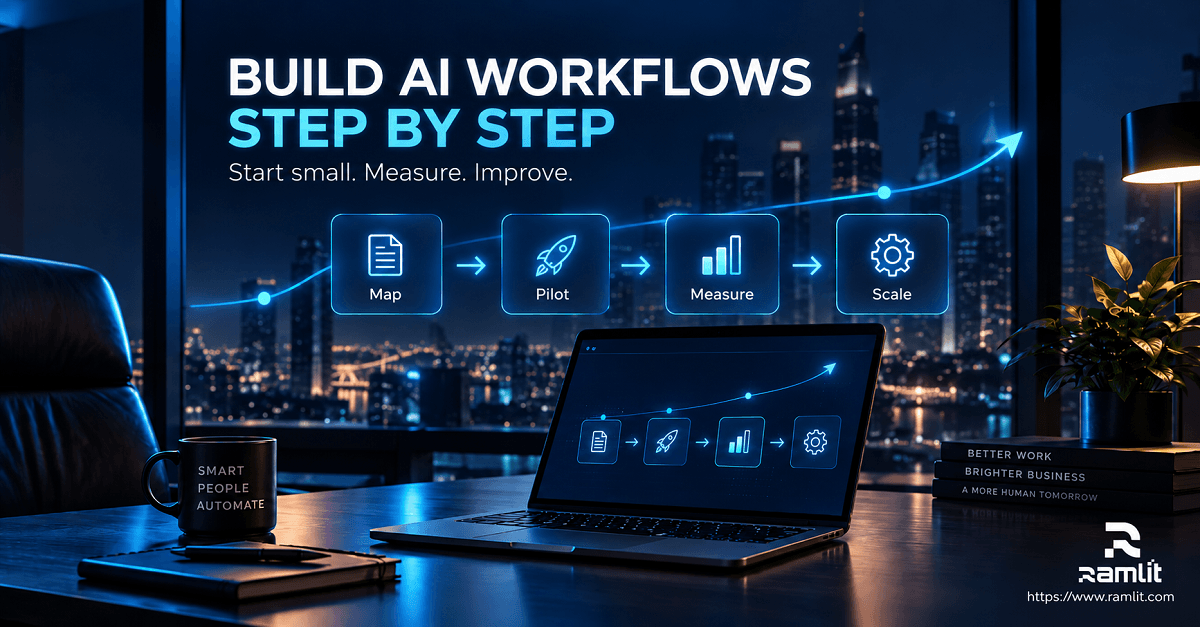
Step-by-Step Roadmap for Implementing AI Business Automation
Step 1: Map the Current Workflow
Do not start by asking:
Which AI tool should we buy?
Start with:
How does this process actually work today?
Document:
- Trigger
- People involved
- Systems involved
- Inputs
- Decisions
- Outputs
- Exceptions
- Delays
- Manual handoffs
You cannot intelligently automate a workflow you do not understand.
Step 2: Find the Bottleneck
Determine where time or quality is being lost.
It may be:
- Data entry
- Searching
- Classification
- Writing
- Routing
- Follow-up
- Approval
- Reporting
Automate the bottleneck rather than the most visible task.
Step 3: Separate Rules From Judgment
Ask which parts can be expressed reliably as conventional logic.
For example:
IF subscription_status = active
AND refund_amount < approved_limit
THEN continue
ELSE request human review
There is little reason to ask a language model to make a decision that ordinary code can make more reliably.
Use AI for the steps that actually require interpretation.
Step 4: Define the Data the AI Can Access
Specify exactly what the workflow requires.
Avoid giving an agent broad access to company systems simply because integration is technically possible.
Use:
- Minimum necessary permissions
- Restricted credentials
- Approved knowledge sources
- Separate read/write permissions
- Tool allowlists
- Scoped API access
An agent that only needs to read order status should not automatically receive permission to cancel orders.
Step 5: Design Failure Paths
Before designing the success path, ask:
What happens when the AI is wrong?
Useful controls include:
- Confidence thresholds
- Output validation
- Retry limits
- Human escalation
- Transaction limits
- Explicit approval
- Audit logs
- Reversible actions
The safest automation systems expect exceptions rather than pretending they will disappear.
Step 6: Build a Small Pilot
Choose one workflow and one measurable outcome.
Do not attempt to automate an entire department immediately.
For example:
Workflow: Customer email classification
Before: Every message manually categorized
Pilot: AI proposes category and priority
Human role: Confirm or correct classification
Measurement: Accuracy, handling time, escalation rate, cost per ticket
This produces actual operational evidence before the system is given additional responsibility.
Step 7: Evaluate the System With Realistic Cases
AI systems should be evaluated against representative inputs, not just perfect demo prompts.
Include:
- Normal requests
- Ambiguous requests
- Missing information
- Long conversations
- Incorrect customer assumptions
- Unexpected formats
- Malicious instructions
- Requests outside policy
- Edge cases
NIST's AI Risk Management Framework and its Generative AI Profile provide structured guidance for organizations considering how to govern, measure, and manage AI-related risk throughout the system lifecycle.
Step 8: Measure Business Outcomes
Do not judge an automation primarily by how impressive the demo looks.
Measure operational results.
Useful metrics can include:
- Manual handling time
- Time to first response
- Resolution time
- Escalation rate
- Error or rework rate
- Cost per completed workflow
- Lead response time
- Qualified lead rate
- Conversion rate
- Staff hours redirected
- Customer satisfaction
- Workflow completion rate
For an approximate economic model:
Monthly Automation Value =
Value of productive time recovered
+ Avoided operating costs
+ Incremental gross profit
- Automation platform costs
- AI/API costs
- Development costs
- Human oversight costs
Be careful with "hours saved."
Saving ten employee hours does not automatically mean the company saved ten hours of salary.
The relevant question is what productive capacity, cost avoidance, or revenue opportunity those hours actually created.
Step 9: Add Autonomy Gradually
A useful progression is:
AI suggests
     ↓
AI drafts
     ↓
AI acts with approval
     ↓
AI acts within limits
     ↓
AI handles routine cases autonomously
Autonomy should be earned through observed reliability.
It should not be the default simply because an agent supports it.
Step 10: Monitor After Deployment
Business workflows change.
Products change.
Policies change.
Integrations break.
Model behavior can change.
The knowledge available to an agent can become outdated.
Production AI automation therefore needs:
- Logging
- Error monitoring
- Cost monitoring
- Evaluation
- Feedback
- Version control
- Knowledge maintenance
- Permission reviews
- Periodic human audits
Deployment is the beginning of operational responsibility, not the end of the project.
Avoiding Automation Overload
AI automation can create new operational problems when it grows without architecture.
Automating a Broken Process
If a process contains unnecessary approvals, duplicated data, or confusing ownership, automating it may simply make the bad process run faster.
Simplify first.
Automate second.
Using AI Where Rules Would Work Better
A deterministic process should generally remain deterministic.
Do not pay for model inference—and introduce model uncertainty—to calculate something that code can calculate exactly.
Connecting Too Many Tools
A workflow spread across ten automation services can become more difficult to maintain than the manual process it replaced.
Minimize unnecessary dependencies.
Giving Agents Excessive Permissions
An agent does not need administrator access merely because it performs multiple tasks.
Apply least-privilege principles.
Removing Human Escalation
AI systems encounter situations they were not designed for.
A production workflow needs a clear escape route.
Measuring Activity Instead of Outcomes
"12,000 AI actions this month" tells you very little.
Ask instead:
- Did response time improve?
- Did errors decrease?
- Did conversion improve?
- Did the workflow cost less?
- Did employees recover useful capacity?
Security, Privacy, and Governance Matter
Business automation connects AI to real company data.
That changes the risk profile.
Before production deployment, consider:
Data minimization
Only provide the information necessary for the task.
Access control
Limit what users, services, agents, and API credentials can access.
Sensitive information
Define which information may or may not be sent to external AI services.
Auditability
Keep logs of important automated actions.
Human approval
Require approval for high-impact actions.
Vendor policies
Understand how each provider stores, processes, retains, and potentially uses submitted data.
Prompt injection
Treat external emails, documents, websites, and retrieved content as potentially untrusted input rather than trusted instructions.
Compliance
Requirements differ by industry and jurisdiction. GDPR, sector-specific privacy rules, employment requirements, contractual obligations, and emerging AI regulations can all affect how a system should be deployed.
For businesses serving users in the European Union, an especially relevant 2026 change is that certain AI Act transparency requirements took effect on August 2, 2026. Among other requirements, providers of AI systems that directly interact with people may need to ensure those users understand that they are interacting with AI, unless that fact is already obvious under the applicable rules.
Security and compliance should therefore be architecture decisions, not final checklist items.
A Practical AI Automation Example
Consider a service business receiving leads through its website.
A basic automation might be:
Form submitted
→ Send notification
→ Add lead to CRM
A better AI-assisted workflow could be:
Lead submits form
        ↓
Validate required fields
        ↓
AI extracts project requirements
        ↓
Classify service category
        ↓
Retrieve relevant CRM/company context
        ↓
Apply qualification rules
        ↓
Create structured CRM record
        ↓
Draft personalized response
        ↓
High-value or unusual request?
      /        \
    Yes         No
     ↓           ↓
Sales review   Approved automated reply
     ↓           ↓
Schedule follow-up
        ↓
Track outcome
Notice what AI does not control.
The model does not define qualification policy.
The business does.
The model interprets the lead and helps apply that process.
That separation makes the system easier to test, change, and govern.
When Custom AI Automation Makes More Sense
Off-the-shelf automation platforms are excellent for many workflows.
Custom development becomes more relevant when a business needs:
- Complex internal business logic
- Proprietary databases
- Custom APIs
- Multiple AI models
- Private or specialized knowledge systems
- Granular permissions
- High-volume processing
- Custom dashboards
- Specialized agent behavior
- Advanced monitoring
- Self-hosted components
- Integration with existing SaaS or enterprise software
In these cases, the automation becomes a software system rather than a collection of isolated integrations.
Ramlit Limited currently lists AI automation, intelligent workflows, AI agents, chatbot integrations, custom software, CRM/ERP/CMS integration, analytics, cloud infrastructure, and related technical services among its offerings.
The right approach depends on whether the organization needs a simple workflow, an integrated automation layer, or a purpose-built AI system.
Frequently Asked Questions About AI Business Automation
What is the difference between traditional automation and AI automation?
Traditional automation follows predefined rules and works best with predictable inputs.
AI automation adds capabilities such as understanding natural language, extracting information, classifying content, generating responses, reasoning over context, or selecting appropriate actions.
Most production systems benefit from combining both.
Does every business need AI agents?
No.
Many businesses can create significant value using conventional workflow automation with a small amount of AI for specific tasks.
Agents become more useful when a process requires multiple steps, dynamic decision-making, access to several tools, and the ability to choose the next action based on context.
Will AI automation replace employees?
AI automation can reduce the amount of human work required for particular tasks, and that can change job responsibilities or staffing needs.
But the effect depends heavily on the workflow and organization.
A more useful implementation question is:
Which tasks should software handle, and where does human judgment create the most value?
That leads to better process design than assuming either that AI will replace everyone or that it will never affect roles.
Is AI automation expensive?
It can range from inexpensive SaaS workflows to substantial custom software projects.
Cost depends on:
- Workflow volume
- Integration complexity
- AI model usage
- Data architecture
- Security requirements
- Development effort
- Monitoring requirements
- Human review
Evaluate total operating cost against measurable business value rather than comparing subscription prices alone.
Should a small business use no-code automation?
Often, yes.
No-code and low-code platforms can be effective when the workflow primarily connects existing SaaS applications and the required business logic is relatively straightforward.
Custom software becomes more attractive as complexity, scale, security requirements, and proprietary integrations increase.
How should a business measure AI automation ROI?
Start with a baseline before automation.
Then measure changes in metrics such as processing time, error rate, customer response time, workflow completion, cost, conversion, or productive capacity.
Do not rely on generic industry ROI percentages.
Your own operational baseline is more valuable.
Is AI automation secure?
It can be designed securely, but adding AI does not automatically make a workflow secure.
Security depends on architecture, vendor configuration, access control, data handling, credential management, logging, testing, and operational governance.
What is the best first AI workflow to automate?
Look for a task that is:
- Frequent
- Repetitive
- Measurable
- Well understood
- Low to moderate risk
- Easy to review
Ticket classification, information extraction, internal summaries, CRM data preparation, and routine reporting are often more appropriate starting points than high-impact autonomous decisions.
Build Automation Around Business Outcomes, Not AI Hype
The most mature approach to AI business automation is surprisingly practical.
Start with the process.
Identify the bottleneck.
Keep deterministic steps deterministic.
Introduce AI where interpretation or reasoning creates genuine value.
Limit system permissions.
Design the failure path.
Keep people involved in consequential decisions.
Measure the result.
Then expand only when the evidence justifies it.
AI agents, workflow platforms, language models, APIs, and automation frameworks are becoming increasingly capable. But the competitive advantage does not come from having the largest collection of AI tools.
It comes from building workflows that make the business measurably easier to operate.
If your organization needs a custom AI automation system, intelligent workflow, AI agent, chatbot, CRM integration, or automation connected to existing business software, Ramlit Limited provides AI and automation development alongside custom software, cloud, data, and integration services.
The right first step is not automating everything.
It is finding one process worth automating well.
Ready to Build Your Solution?
Ramlit Limited delivers smart, secure, and scalable tech solutions for businesses worldwide.
- Get a Free Quote: ramlit.com/contact
- Email: info@ramlit.com
- Phone: +880 1723-741224
- Explore Services: ramlit.com/services
Part of the Mejba Ahmed brand family: mejba.me · colorpark.io · xcybersecurity.io