
AI Business Automation in 2026: A Practical Guide to Automating Workflows and Productivity
Most businesses do not need more AI tools.
They need fewer manual handoffs, better workflows, cleaner data, faster decisions, and less time spent moving information between systems.
That distinction matters.
A company can subscribe to several AI platforms and remain inefficient because the underlying process is still broken.
Another company can automate one carefully chosen workflow and recover hours of useful capacity every week.
The difference is not how much AI they use.
It is where AI sits inside the business process.
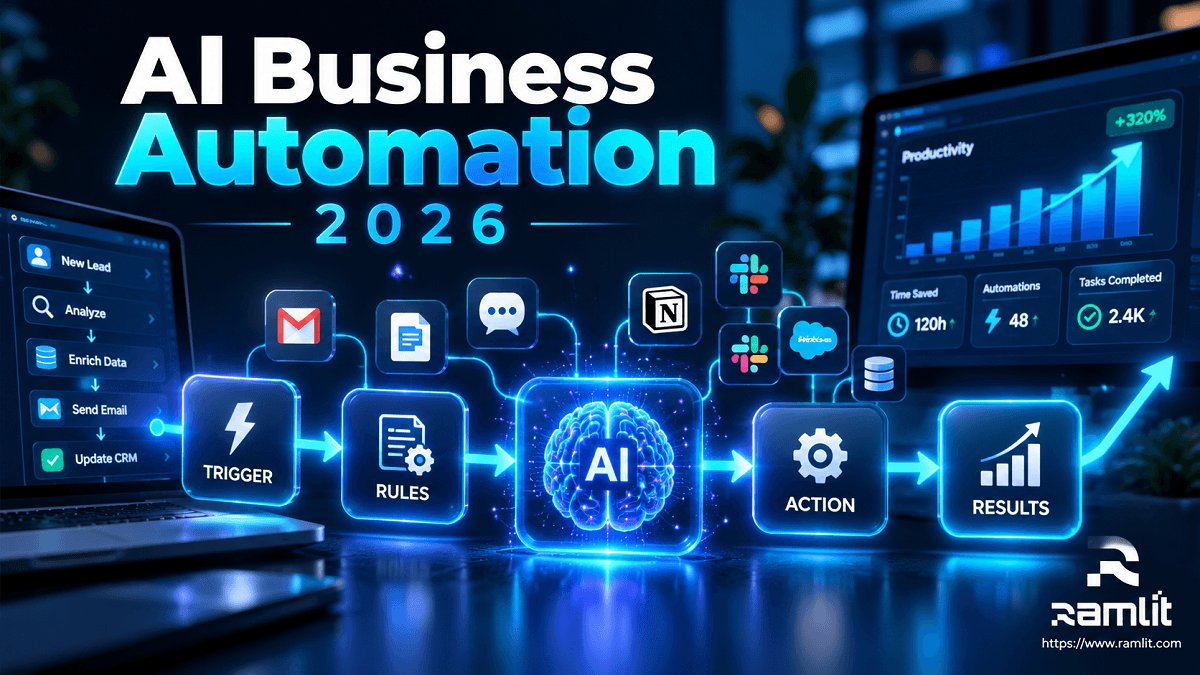
Modern AI business automation combines conventional software rules with models that can interpret unstructured information, generate useful output, retrieve context, and—in some cases—choose among approved actions.
A good system may look like:
Trigger
   ↓
Validate data
   ↓
Apply business rules
   ↓
Does this step require interpretation?
        ↓
       AI
        ↓
Validate result
        ↓
Human approval if necessary
        ↓
Execute action
        ↓
Measure outcome
This guide explains where AI automation creates value, where conventional automation is better, which tools are relevant in 2026, how to build an implementation roadmap, and how to measure whether automation actually improves the business.
What Is AI Business Automation?
AI business automation is the use of artificial intelligence within business workflows to perform tasks that involve interpretation, classification, generation, retrieval, or bounded decision-making.
Traditional automation normally works well when the rules are predictable.
For example:
IF invoice_total > $5,000
THEN request manager approval
You do not need an AI model for that.
But consider an inbound email:
We placed an order yesterday, but the shipping address is wrong and we need this before Friday.
A useful automation may need to:
- Determine the customer's intent.
- Extract the order information.
- Find the customer record.
- Check shipment status.
- Determine whether an address change is still possible.
- Draft the appropriate response.
- Escalate the request when policy requires a person.
That is where AI becomes useful.
The strongest architecture combines deterministic automation for predictable operations with AI for the parts that genuinely require language understanding, reasoning, retrieval, or generation.
Traditional Automation vs AI Automation vs AI Agents
These terms increasingly overlap, so it helps to separate them.
| Approach | Best for | Example |
|---|---|---|
| Traditional automation | Fixed, predictable logic | Add a CRM task when a lead submits a form |
| AI-assisted automation | Interpretation or generation inside a workflow | Classify the lead and summarize its requirements |
| AI agent | Multi-step work requiring dynamic selection among approved tools | Research the company, update CRM data, prepare outreach, and request approval |
By October 2026, major automation platforms are increasingly merging these models. Zapier, for example, now positions itself as infrastructure for AI-powered automation across more than 9,000 apps, and its AI by Zapier product can combine deterministic workflow steps with AI reasoning and tool use. Zapier is also migrating its previously separate Agents product into this integrated workflow model. Zapier Help
That direction reflects an important engineering principle:
Use AI where uncertainty exists. Keep ordinary software in control where the answer is deterministic.
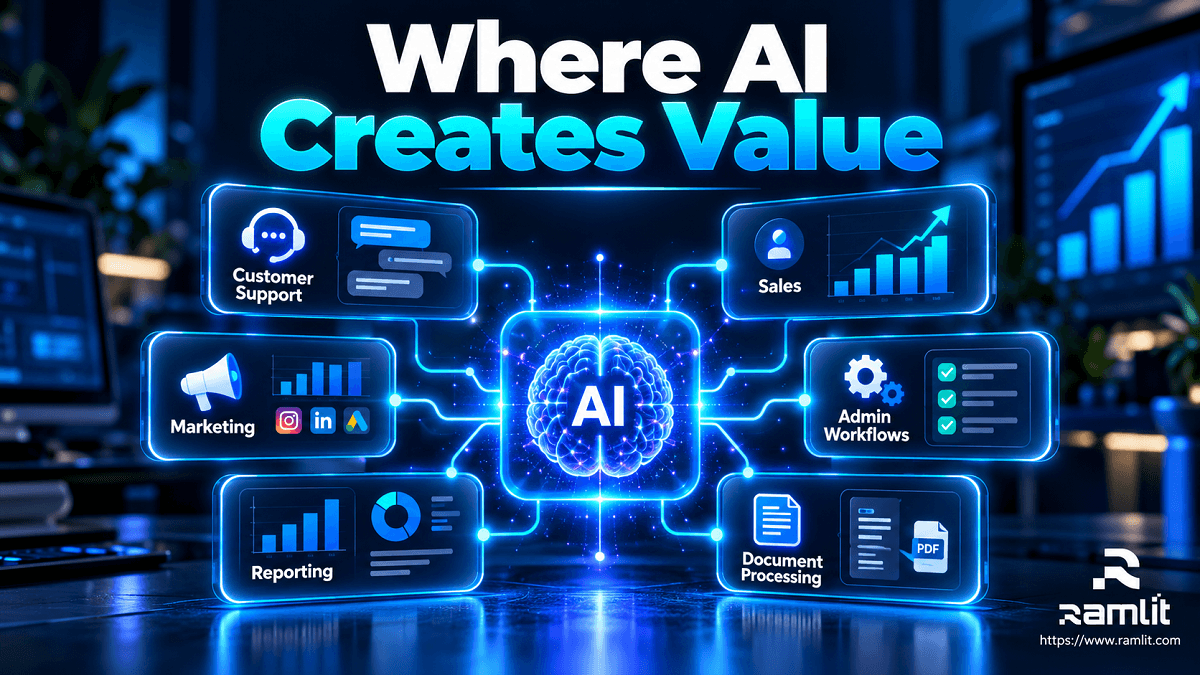
Where AI Business Automation Creates the Most Value
The best automation candidates tend to have several characteristics:
- They happen frequently.
- Employees repeat similar steps.
- Information moves between multiple systems.
- Inputs include emails, documents, chats, or other unstructured data.
- Delays affect customers or revenue.
- Outcomes can be measured.
- Mistakes can be detected or safely escalated.
Here are the strongest practical areas to examine.
1. Customer Support Automation
Customer support contains a mixture of repetitive requests and unpredictable language, making it a natural fit for AI-assisted workflows.
AI can help with:
- Intent classification
- FAQ resolution
- Knowledge retrieval
- Conversation summarization
- Ticket categorization
- Priority detection
- Customer-context retrieval
- Draft responses
- Routing
- Human escalation
A useful architecture might be:
Customer message
       ↓
Identify intent
       ↓
Retrieve customer context
       ↓
Retrieve approved knowledge
       ↓
Can policy safely handle this?
      / \
    Yes  No
     ↓    ↓
AI response  Human agent
     ↓
Validate / log
     ↓
Customer
The important word is safely.
A chatbot generating text is not the same as a system authorized to refund money, change an account, or modify an order.
Customer-service AI has also moved beyond simple FAQ bots. Intercom's current Fin product supports roles across service, sales, and ecommerce and can work alongside existing helpdesks, while Zendesk's current AI agents are designed to execute multi-step service workflows across connected systems. Intercom
2. Sales and Lead Management
Salespeople often spend substantial time around the sale rather than actually selling.
Typical administrative work includes:
- Researching prospects
- Cleaning CRM data
- Enriching accounts
- Summarizing calls
- Categorizing opportunities
- Drafting follow-ups
- Creating tasks
- Updating pipeline fields
- Preparing account briefs
AI automation can reduce this preparation work.
For example:
Website inquiry
      ↓
Validate contact data
      ↓
AI extracts requirements
      ↓
Classify service / use case
      ↓
Enrich account
      ↓
Apply qualification rules
      ↓
Create CRM opportunity
      ↓
Draft response
      ↓
Salesperson reviews
HubSpot's current Breeze agents illustrate this direction. Its Prospecting Agent can research prospects and buying signals and prepare personalized outreach, while its broader AI-agent offering includes customer, data, and custom agents connected to CRM information. HubSpot Marketplace
The mistake would be giving AI complete control simply because the workflow can technically be automated.
For an important prospect, AI research plus a human-approved response may be more valuable than fully autonomous outreach.
3. Marketing Operations
Marketing automation has existed for years.
AI adds value where the workflow contains information that previously required a person to interpret.
Useful examples include:
- Summarizing research
- Repurposing approved content
- Categorizing campaign responses
- Extracting themes from customer feedback
- Preparing email variants
- Drafting campaign briefs
- Organizing content pipelines
- Routing inbound leads
- Generating first drafts from approved sources
A disciplined content workflow could be:
Topic
  ↓
Approved research
  ↓
AI-assisted outline
  ↓
Draft
  ↓
Fact verification
  ↓
Human editorial review
  ↓
Publish
  ↓
Distribution
  ↓
Performance data
The objective should not be:
Generate more content.
It should be:
Reduce low-value production work while preserving quality and judgment.
4. Administrative and Internal Workflows
Some of the highest-value automations are not customer-facing at all.
Examples include:
- Meeting summaries
- Internal reporting
- Document extraction
- Request categorization
- Email routing
- Approval workflows
- Knowledge search
- Data entry
- Project-status summaries
- Recurring operational reports
Platforms such as Zapier and Make can provide the orchestration layer for many of these workflows. Make's current AI Agents can be embedded in its existing scenarios and configured with different models and reusable instructions. Make Help Center
A small company therefore does not necessarily need to build a custom agent platform before testing whether a workflow creates value.
5. Data Analysis and Reporting
AI is increasingly useful as an interface between people and business data.
It can help:
- Summarize reports
- Explain trends
- Explore datasets conversationally
- Draft management summaries
- Surface anomalies for investigation
- Generate initial visualizations
- Translate technical analysis into business language
However, calculations should generally remain deterministic.
A useful rule is:
Let software calculate. Let AI help interpret.
Microsoft's current Power BI Copilot, for example, supports creating and editing reports through natural-language prompts and generating narrative summaries around business data. Microsoft Learn
That does not mean AI interpretation should become the final authority for consequential business decisions.
Use the model to accelerate analysis.
Keep important decisions accountable to people.
6. Document Processing
Businesses frequently receive information in formats such as:
- PDFs
- Invoices
- Contracts
- Emails
- Forms
- Reports
- Scanned documents
AI-assisted workflows can:
Receive document
      ↓
Extract text/data
      ↓
Classify document
      ↓
Validate required fields
      ↓
Check business rules
      ↓
Flag exceptions
      ↓
Update system
This can be valuable in:
- Finance
- Insurance
- Logistics
- Procurement
- Legal operations
- Healthcare administration
- Customer onboarding
But the AI output should be validated before it triggers irreversible or high-impact actions.
What Should Not Automatically Be Given to AI?
AI automation becomes more dangerous as the cost of an incorrect action increases.
Consider these two workflows:
Low-risk
Customer email
→ AI proposes ticket category
→ employee can correct it
High-risk
AI reads email
→ decides customer deserves $10,000 refund
→ transfers money automatically
Technically, both can be automated.
Operationally, they are not equivalent.
A useful autonomy ladder is:
AI suggests
    ↓
AI drafts
    ↓
AI acts after approval
    ↓
AI acts within defined limits
    ↓
AI autonomously handles proven routine cases
Increase autonomy only when reliability, monitoring, and risk controls justify it.
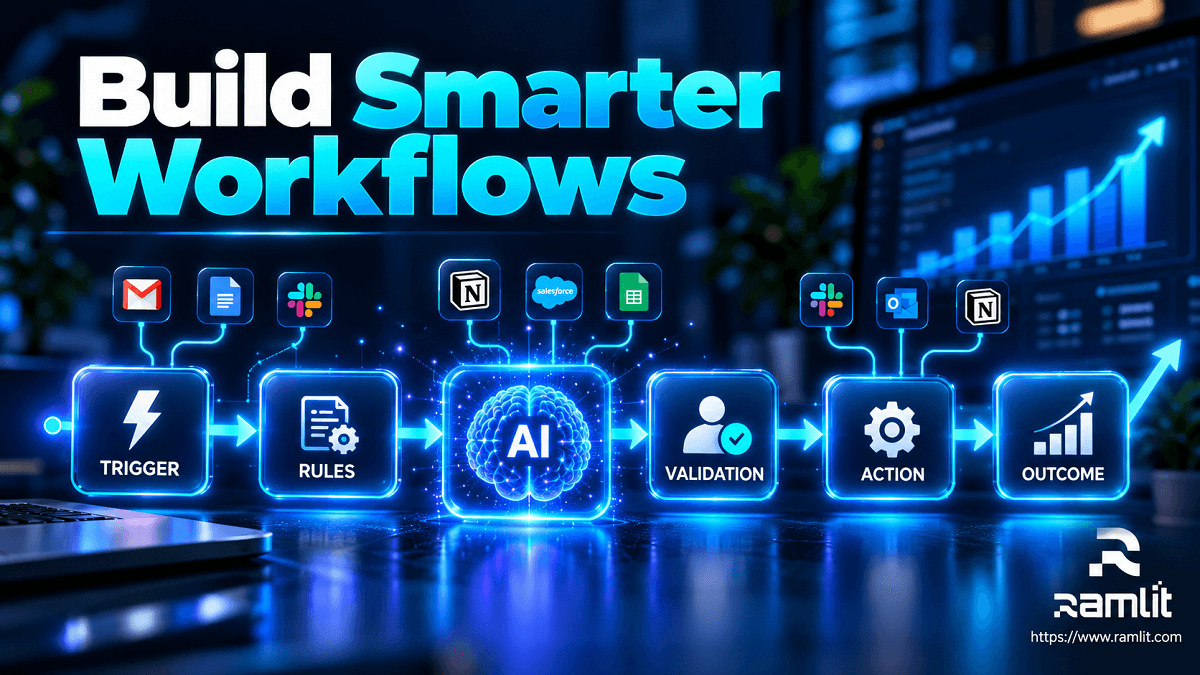
A Production Architecture for AI Automation
A business automation system needs more than a prompt.
A stronger architecture is:
Trigger
   ↓
Authentication / authorization
   ↓
Input validation
   ↓
Business rules
   ↓
Context retrieval
   ↓
AI
   ↓
Output validation
   ↓
Policy check
   ↓
Approval when required
   ↓
Action
   ↓
Logging
   ↓
Measurement
Let's break that down.
Trigger
What starts the workflow?
Examples:
- New lead
- Support ticket
- Invoice
- Form submission
- Scheduled report
- CRM update
Context
What information does AI actually need?
Examples:
- Customer history
- Product documentation
- Company policy
- Inventory
- CRM records
- Previous conversation
Do not send every available piece of company data to a model just because you can.
Rules
Keep deterministic policy outside the model.
For example:
IF refund > $500
THEN manager approval required
or:
IF account_type = enterprise
THEN route to enterprise support
The model should not be responsible for remembering policies that normal software can enforce exactly.
AI Layer
This layer may perform:
- Classification
- Extraction
- Summarization
- Retrieval
- Generation
- Reasoning
- Tool selection
Validation
Check:
- Required fields
- Allowed output format
- Policy compliance
- Confidence
- Data type
- Transaction limits
Action
Only after validation should the workflow interact with:
- CRM
- ERP
- Helpdesk
- Database
- Ecommerce system
- Calendar
- Internal APIs
The Best AI Automation Tools to Evaluate in 2026
There is no universally best platform.
Choose based on the workflow.
| Platform | Useful for |
|---|---|
| Zapier | Broad SaaS integration and mixed deterministic/AI workflows |
| Make | Visual automation and agentic workflows |
| Intercom Fin | AI-driven customer-facing service, sales, and ecommerce conversations |
| Zendesk AI | AI-powered service workflows and support operations |
| HubSpot Breeze | CRM-connected sales, service, data, and custom agents |
| Power BI Copilot | AI-assisted reporting and business-data exploration |
| Custom software | Proprietary workflows, specialized integrations, governance, and scale |
Zapier currently supports more than 9,000 apps and explicitly encourages combining rule-based automation with AI only where it adds value. Zapier Help
That is a useful philosophy regardless of which platform you use.
How to Decide What to Automate First
Do not start with:
Which AI agent should we buy?
Start with:
Where is our team repeatedly spending time?
Create an automation inventory.
For every process, evaluate:
| Factor | Question |
|---|---|
| Frequency | How often does it happen? |
| Manual effort | How much human time does it consume? |
| Predictability | Does it follow repeatable patterns? |
| Data quality | Are inputs reliable enough? |
| Business value | What improves if this becomes faster? |
| Risk | What happens when it goes wrong? |
| Measurability | Can we compare before vs after? |
The best starting workflows usually have:
High frequency
+
High manual effort
+
Clear rules
+
Low/moderate risk
+
Measurable outcome
A repetitive support-classification task is usually a better pilot than giving an autonomous system control over payroll.
Step-by-Step AI Automation Roadmap
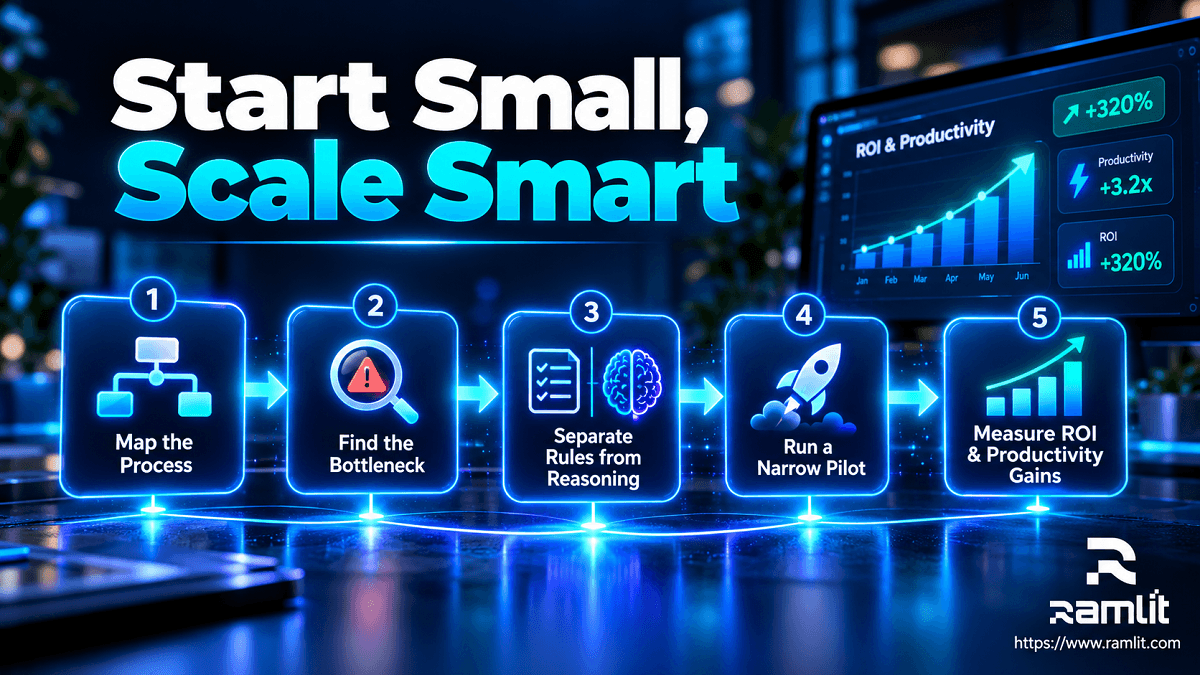
Step 1: Map the Current Process
Document the process before automating it.
Capture:
Trigger
People
Systems
Inputs
Decisions
Outputs
Exceptions
Waiting time
Many "automation problems" turn out to be process-design problems.
Automating unnecessary work only makes unnecessary work happen faster.
Step 2: Find the Real Bottleneck
Ask:
Where does work slow down?
The bottleneck might be:
- Searching
- Writing
- Classification
- Approval
- Data entry
- Follow-up
- Reporting
- Switching systems
Automate that part first.
Step 3: Separate Rules From Reasoning
Consider:
Invoice received
      ↓
Amount < $1,000?
      ↓
      YES
      ↓
Approved vendor?
      ↓
      YES
      ↓
Standard workflow
You do not need AI for these decisions.
Use AI only if the workflow encounters something such as:
Determine what this invoice is for from its description and supporting documents.
Step 4: Define Permissions
What can the automation read?
What can it change?
Separate:
- Read permissions
- Write permissions
- Delete permissions
- Financial permissions
- Administrator permissions
Apply least privilege.
An AI agent checking an order should not automatically receive permission to cancel every order.
Step 5: Design the Failure Path
Before asking:
What happens when this succeeds?
ask:
What happens when it is wrong?
Controls might include:
- Human escalation
- Retry limits
- Validation rules
- Transaction limits
- Approval checkpoints
- Audit logs
- Reversible actions
A production automation should expect exceptions.
Step 6: Build a Narrow Pilot
Example:
Workflow: Support-ticket categorization
Before: Every request categorized manually.
Pilot: AI predicts category and priority.
Human role: Confirm or correct.
Metrics:
- Classification accuracy
- Handling time
- Escalation rate
- Cost per ticket
Do not automate an entire department to prove one assumption.
Step 7: Test Realistic Edge Cases
Do not evaluate your system only with clean demonstrations.
Test:
- Missing data
- Contradictory instructions
- Long messages
- Unsupported requests
- Incorrect assumptions
- Unexpected formats
- Malicious content
- Policy violations
- Ambiguous language
NIST's AI Risk Management Framework provides a voluntary structure for organizations to govern, map, measure, and manage AI risks. Its Generative AI Profile adds guidance specifically for risks associated with generative systems. NIST also notes that AI RMF 1.0 is currently being revised. NIST
Step 8: Measure the Business Outcome
Do not measure:
AI completed 27,000 tasks.
Measure:
- Manual handling time
- Customer response time
- Resolution rate
- Error rate
- Rework
- Lead qualification rate
- Conversion rate
- Cost per completed workflow
- Staff capacity recovered
- Customer satisfaction
- Revenue contribution
A simple model is:
Automation Value
=
Productive capacity recovered
+ Avoided operational cost
+ Incremental contribution
- Software cost
- AI/API cost
- Implementation cost
- Human oversight cost
Be careful when converting "hours saved" directly into money.
If 100 hours are saved but no labor cost decreases and no productive work replaces them, the financial effect may be smaller than the headline suggests.
AI Automation ROI: Establish the Baseline First
Generic claims such as:
AI reduces costs by 40%.
are not useful for deciding whether your workflow works.
Instead, measure the process before automation.
Suppose a support task currently takes:
10 minutes per request
×
1,000 requests
=
166.7 staff hours
After automation:
AI handles routine preparation
+
human reviews exceptions
=
80 staff hours
The operational difference is measurable.
Then ask:
- What do those recovered hours enable?
- What is the automation's operating cost?
- Did quality change?
- Did customers receive faster service?
- Did error rates increase?
- Did revenue or retention change?
Your own baseline is more valuable than an industry-wide ROI statistic.
Avoiding Automation Overload
Adding AI to every process can create a second layer of complexity.
Mistake 1: Using AI for Deterministic Work
Do not ask an LLM to calculate something your application can calculate exactly.
Mistake 2: Automating a Broken Process
Simplify first.
Then automate.
Mistake 3: Connecting Too Many Systems
A workflow involving twelve services can become harder to debug than the manual process.
Minimize dependencies.
Mistake 4: No Human Escalation
Every sufficiently complex automated workflow will eventually encounter an unexpected case.
Build an escape route.
Mistake 5: Measuring Activity
"AI actions" are not a business outcome.
Mistake 6: Allowing Unlimited Autonomy
Give the system only the permissions necessary for its current level of proven reliability.
AI Automation Security and Privacy
Once AI is connected to business applications, it can access real operational data.
That means security needs to be part of the architecture.
Minimize Data
Do not expose information the workflow does not need.
Scope Credentials
Use dedicated service credentials rather than broad administrator accounts.
Protect Secrets
Never place sensitive API credentials inside prompts or documents that the model can accidentally expose.
Log Important Actions
Track:
Who initiated the workflow?
What did the AI decide?
What data was accessed?
What tool was called?
What changed?
Was approval provided?
Treat External Content as Untrusted
Emails, websites, uploaded documents, and support tickets can contain instructions intended to manipulate AI systems.
Do not allow external text to override system policies or authorization controls.
Transparency Rules Matter in 2026
Governance is becoming more important as businesses deploy AI directly to customers.
A particularly relevant change arrived in the European Union on August 2, 2026.
Certain transparency obligations under Article 50 of the EU AI Act now apply, including requirements for covered interactive AI systems to make clear when a person is interacting with AI, subject to the rules' scope and exceptions. Digital Strategy
That matters for systems such as customer-facing chatbots and AI agents.
If your organization operates across jurisdictions, compliance requirements should therefore be reviewed alongside technical architecture rather than after deployment.
Be Especially Careful With HR Automation
AI can assist administrative HR tasks such as:
- Scheduling
- Organizing candidate information
- Summarizing documents
- Answering policy questions
- Drafting communications
But employment decisions can be much higher risk.
In the EU, certain AI systems used in employment are classified within high-risk categories, with current enforcement timing for those Annex III high-risk rules scheduled from December 2027. Digital Strategy
That is a strong reason to distinguish:
AI assists recruiter
from:
AI autonomously decides who gets hired
They are not the same risk profile.
A Practical Example: Automating Lead Intake
Consider a software company receiving inquiries through its website.
The basic workflow is:
Lead submits form
       ↓
Email notification
       ↓
Salesperson reads it
       ↓
Salesperson updates CRM
       ↓
Salesperson replies
A more useful AI-assisted system could be:
Form submitted
      ↓
Validate contact data
      ↓
Extract requirements
      ↓
Classify service
      ↓
Check CRM
      ↓
Apply qualification rules
      ↓
Create structured opportunity
      ↓
Draft response
      ↓
High-value / unusual?
     /            \
   Yes            No
    ↓              ↓
Sales review    Approved workflow
    ↓              ↓
Follow-up      Follow-up
Notice the separation.
AI interprets the lead.
Business rules determine qualification.
The CRM remains the source of truth.
Humans remain involved when judgment has meaningful consequences.
That is a much stronger design than giving an agent a prompt saying:
Handle all leads.
When Custom AI Automation Makes Sense
No-code and low-code tools are excellent when:
- The workflow uses common SaaS applications.
- Logic is relatively straightforward.
- Volume is moderate.
- Existing connectors provide the necessary access.
Custom development becomes more attractive when you need:
- Proprietary databases
- Specialized APIs
- Complex business rules
- AI agents with custom tools
- Multi-tenant architecture
- Private knowledge retrieval
- Advanced permissions
- High-volume processing
- Custom analytics
- Self-hosted components
- Detailed auditability
- Integration with legacy systems
At that point, automation becomes a software-engineering project.
Ramlit Limited currently offers AI automation services covering intelligent workflows and integrations with CRM, ERP, CMS, and custom business tools, alongside broader software, AI, and cloud capabilities. Ramlit Limited
A Practical Technology Decision Framework
Before selecting a platform, ask:
What starts the workflow?
Email?
CRM event?
Webhook?
Database event?
Schedule?
Customer conversation?
How complex is the logic?
Simple trigger/action?
Branching workflow?
Multi-step agent?
Long-running process?
What systems must it access?
CRM
ERP
Database
Helpdesk
Email
Cloud storage
Internal API
How sensitive is the data?
This may determine:
- Provider selection
- Hosting
- Logging
- Retention
- Access controls
What happens if it fails?
This determines how much human oversight and validation the system needs.
Frequently Asked Questions
What is AI business automation?
AI business automation combines workflow automation with AI capabilities such as classification, extraction, generation, retrieval, reasoning, or tool selection.
The AI handles areas where interpretation is useful, while ordinary software should continue handling predictable rules.
What's the difference between AI automation and an AI agent?
AI automation may use AI for one specific step.
An AI agent generally has more autonomy to choose among approved actions or tools and complete a multi-step objective.
An agent is therefore one form of AI automation—not a requirement for every workflow.
Can small businesses use AI automation?
Yes.
Many workflows can be tested using existing no-code or low-code products before investing in custom development.
Zapier currently provides access to thousands of integrations, while products such as Make increasingly support agentic workflows inside visual automation systems. Zapier
Will AI automation replace employees?
AI automation can reduce the human labor required for particular tasks and can therefore change roles or staffing requirements.
It is inaccurate to claim that AI simply "never replaces jobs."
A better implementation question is:
Which work should software perform, and where does human judgment provide the most value?
How quickly should an AI automation project show results?
There is no universal timeline.
A narrow workflow may produce measurable operational changes quickly, while a large integration involving data cleanup, governance, custom software, and several business systems may take substantially longer.
Define success metrics before implementation.
Is AI business automation secure?
It can be engineered securely, but adding AI does not automatically make a workflow secure.
Security depends on:
- Architecture
- Access control
- Data exposure
- Vendor policies
- Secret management
- Logging
- Input validation
- Tool permissions
- Human approval
- Monitoring
Should every workflow use AI?
No.
If ordinary code can perform a task predictably, conventional automation will often be cheaper, easier to test, and more reliable.
Use AI where interpretation adds meaningful value.
Which AI automation should a business build first?
Start with a workflow that is:
- Frequent
- Repetitive
- Well understood
- Measurable
- Low or moderate risk
- Easy to review
Good first candidates often include:
- Ticket classification
- Meeting summaries
- Document extraction
- CRM preparation
- Reporting assistance
- Internal knowledge retrieval
The Goal Is Better Operations, Not More AI
The most mature AI automation strategy is surprisingly simple.
Do not begin with the model.
Begin with the work.
Map the process.
Find the bottleneck.
Keep deterministic operations deterministic.
Use AI where interpretation genuinely improves the workflow.
Limit permissions.
Design for failure.
Keep humans involved where consequences matter.
Measure the result.
Then scale what works.
The technology is moving quickly. Zapier is integrating agentic reasoning directly into its core automation platform, Make is expanding AI Agents within its visual workflows, and customer and CRM platforms such as Intercom, Zendesk, and HubSpot increasingly treat agents as operational components rather than isolated chatbots. Zapier Help
But access to better AI does not automatically produce a better business.
The advantage comes from building systems that reduce friction while preserving control.
Start with one process worth automating well.
Then use the evidence from that workflow to decide what deserves automation next.
Let's start with Us?
Ramlit Limited delivers smart, secure, and scalable tech solutions for businesses worldwide.
- Get a Free Quote: ramlit.com/contact
- Email: info@ramlit.com
- Phone: +880 1723-741224
- Explore Services: ramlit.com/services
Part of the Mejba Ahmed brand family: mejba.me · colorpark.io · xcybersecurity.io